Hot Desking System
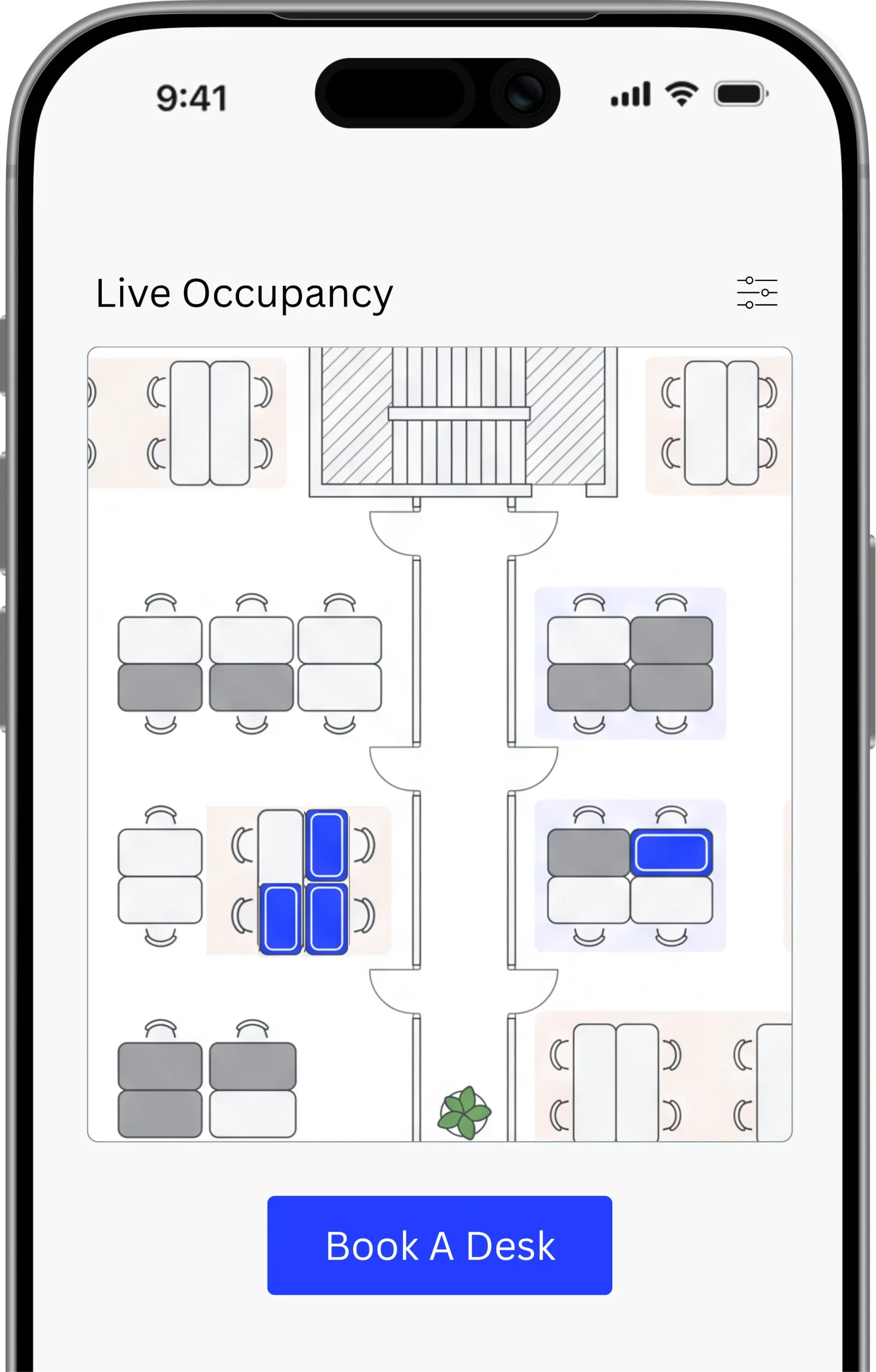
Entry2Exit Hot Desking System is a smart workspace solution that helps organizations manage flexible seating with ease.
-
Used By Over 5M+
VisitorsAcross 4+ Countries -
Multi Branch
CapableAcross Multiple Languages -
Industry Vertical
SolutionDeploy Quickly -
Compliance &
GDPRFor Process & Data Security -
UAE Based
ProductLeading In The Region





Empower your workspace with a unified, mobile-first booking system.
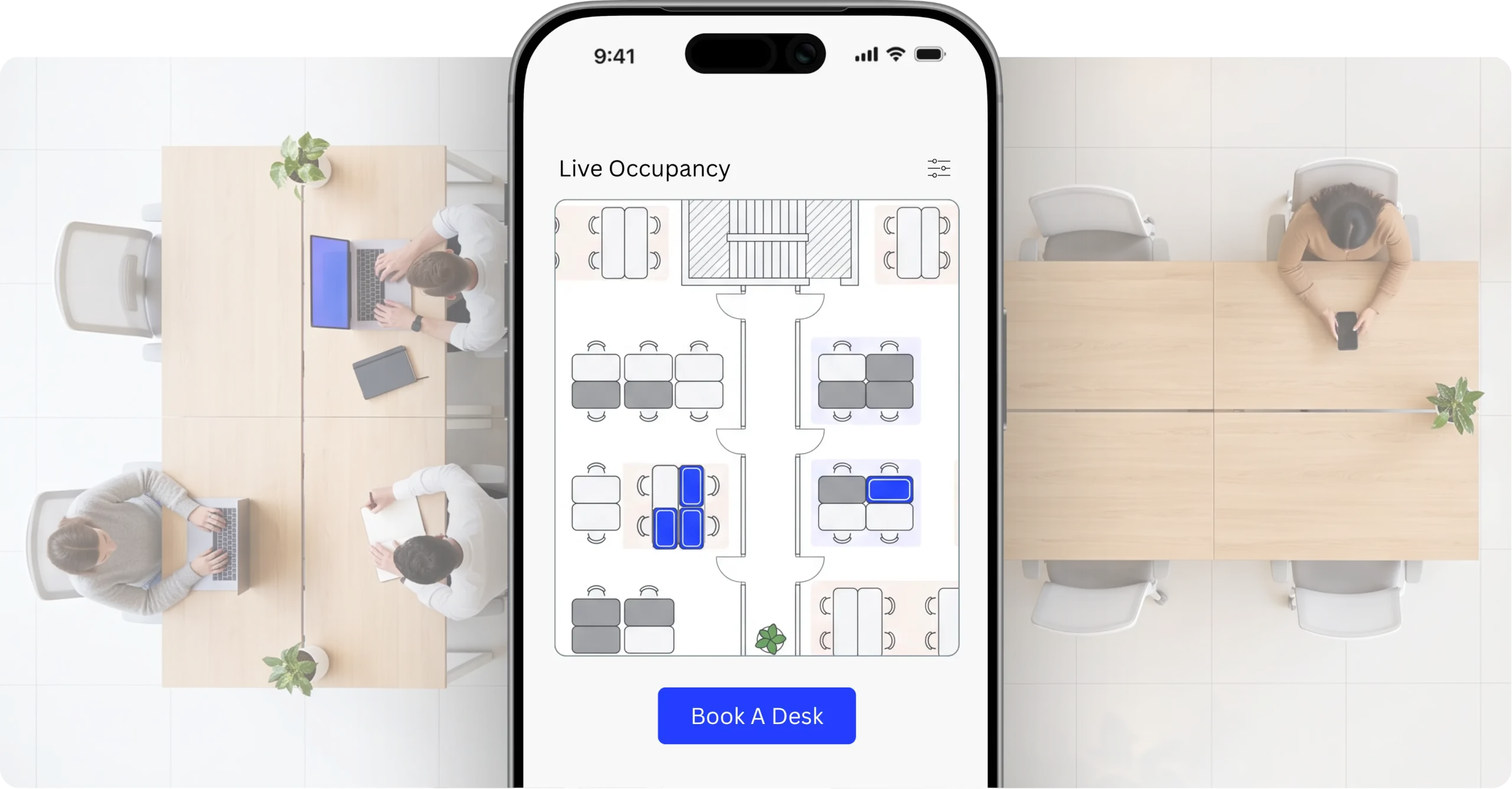
The Mobile-First Booking Experience of the Entry2Exit Hot Desking System empowers employees to find, reserve, and manage desks effortlessly through a sleek mobile or web app. With real-time availability, QR-based check-ins, and instant notifications, it removes friction from daily workspace management and helps organizations embrace hybrid work with ease.

Effortless Desk Management
Book, modify, or cancel reservations instantly from any device with a few taps.

Higher Space Utilization
Automatically track and optimize desk usage, reducing wasted real estate costs.

End-to-End Customizable
Entry2Exit is fully customizable to meet the unique challenges of your organization.
Everything your workspace runs on, in one place
Live floor plans, mobile booking, occupancy data and automatic desk release, working together from a single system.
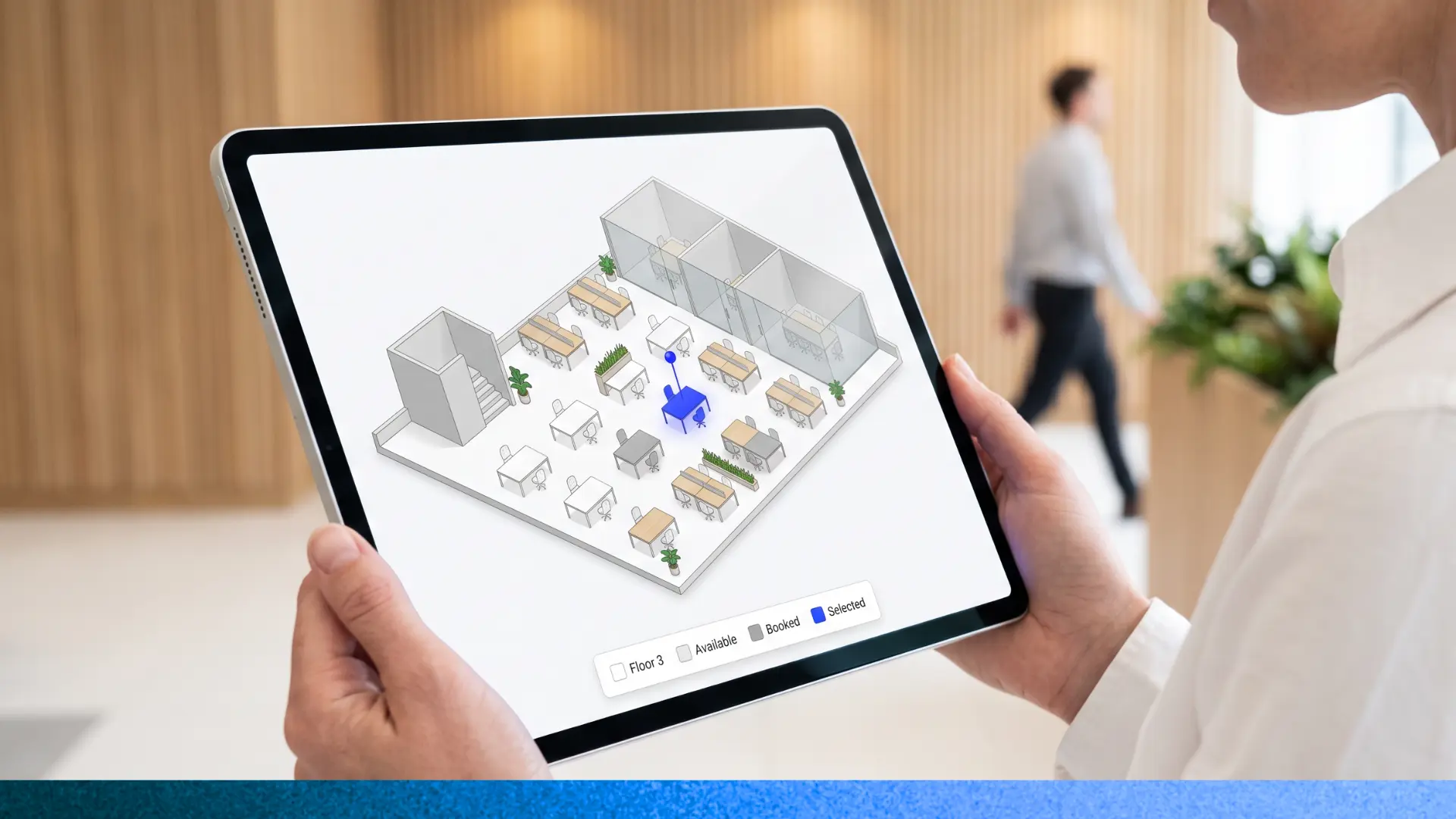
Interactive Floor Plan Visualization
Employees see live desk availability on a colour-coded map, zoom to any floor or building, and reserve a seat straight from it.
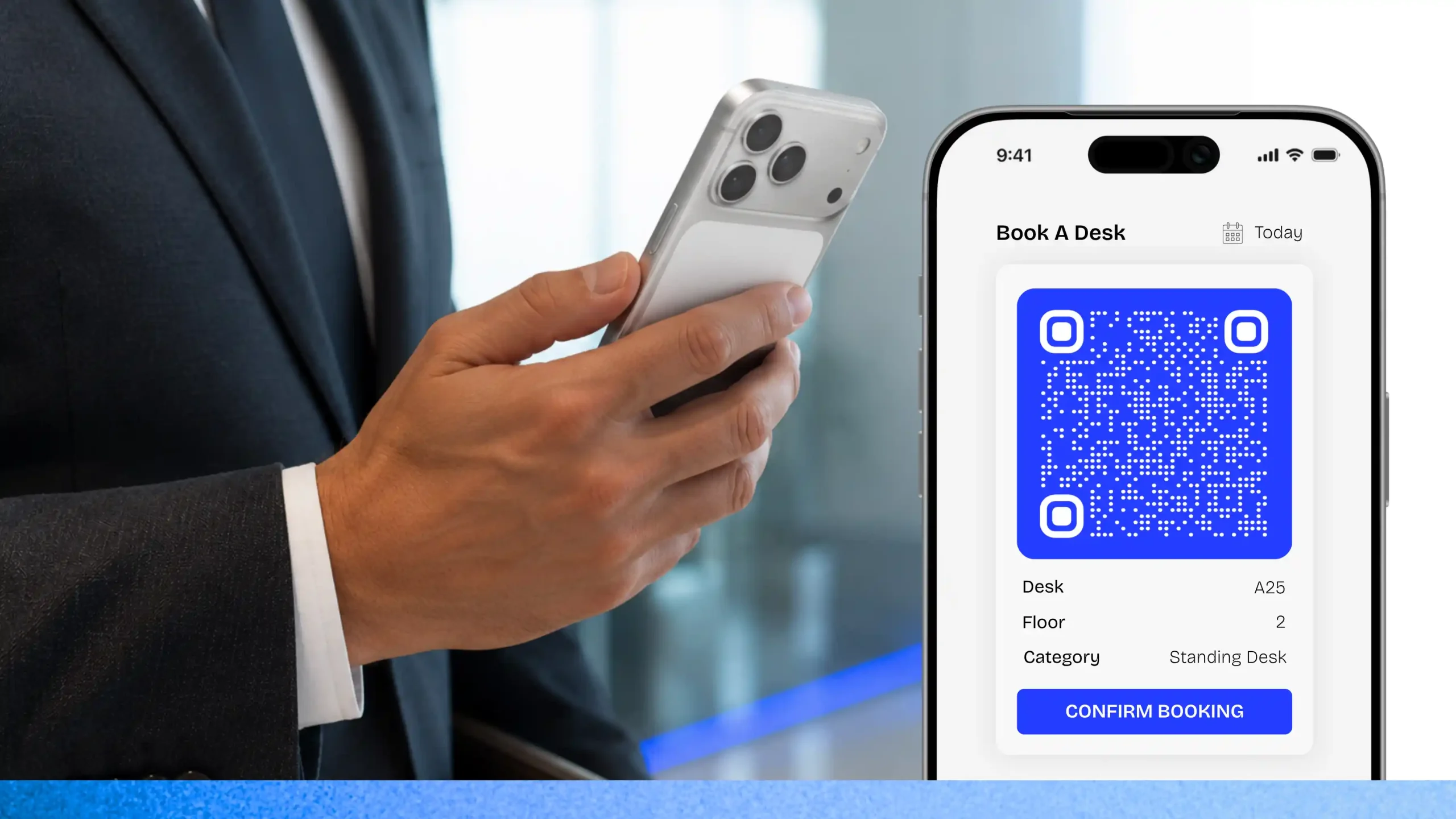
Mobile-First Booking Experience
Book, change or cancel a desk from any device, then confirm the seat with a QR check-in. Reminders keep bookings accurate.
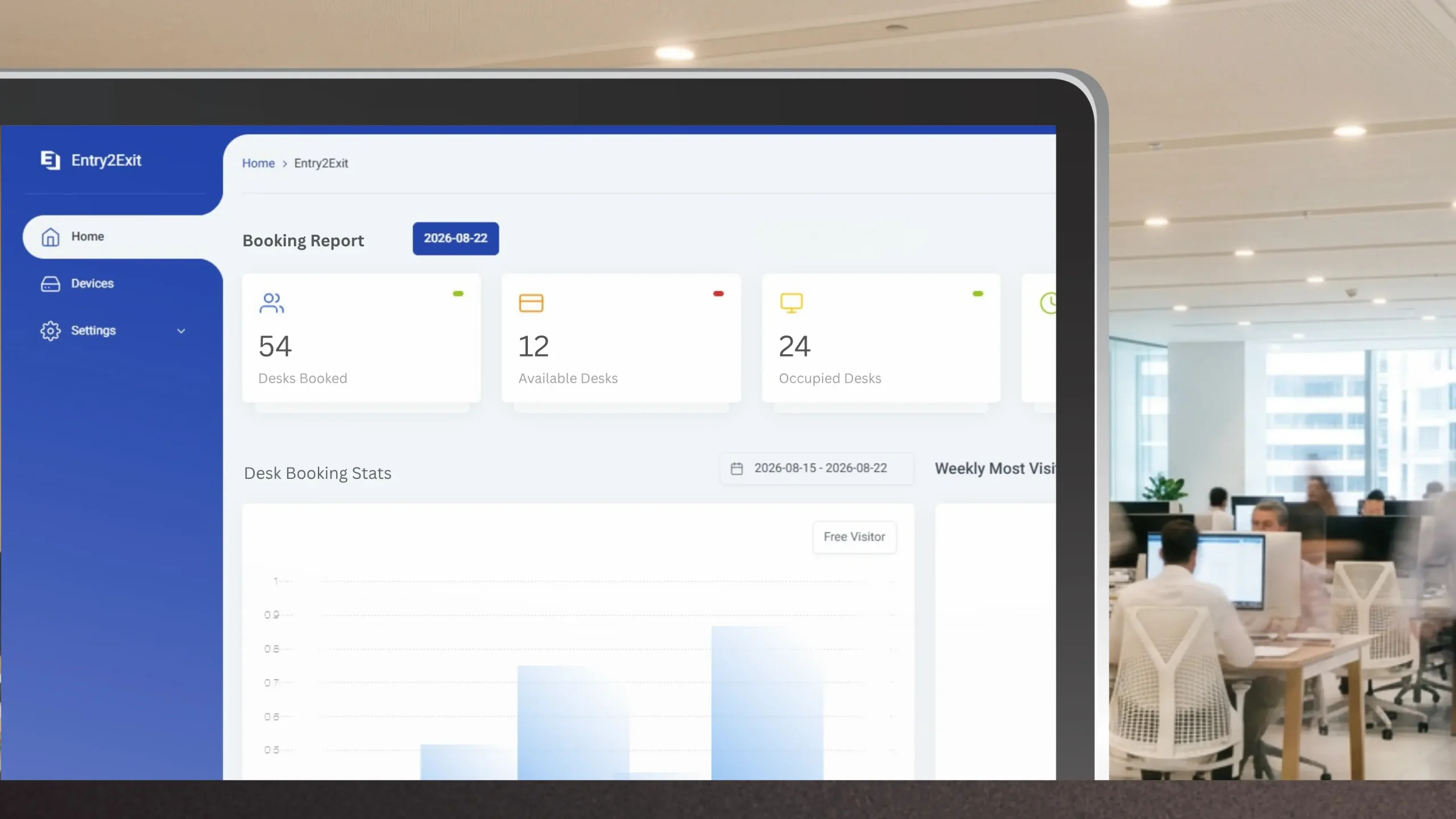
Utilization Analytics Dashboard
See occupancy by hour, floor and department, spot the peaks, and use the numbers to right-size your office footprint.
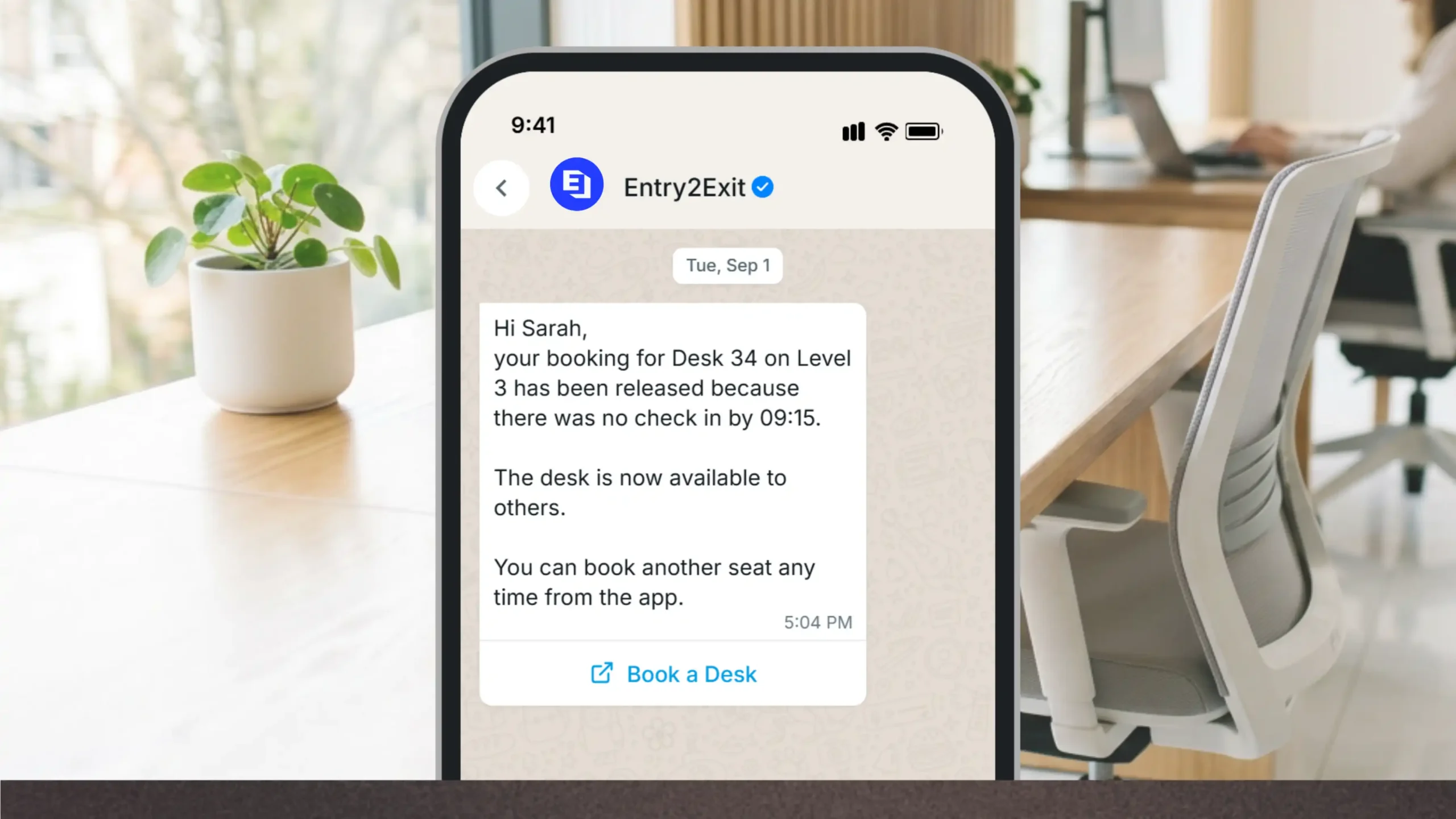
Intelligent Auto-Release Rules
If nobody checks in inside the grace window, the desk is released automatically and offered to the next person. No ghost bookings.
Built for how your teams actually sit
Team zones, amenity search, identity and multi-site control, so flexible seating still feels organised.
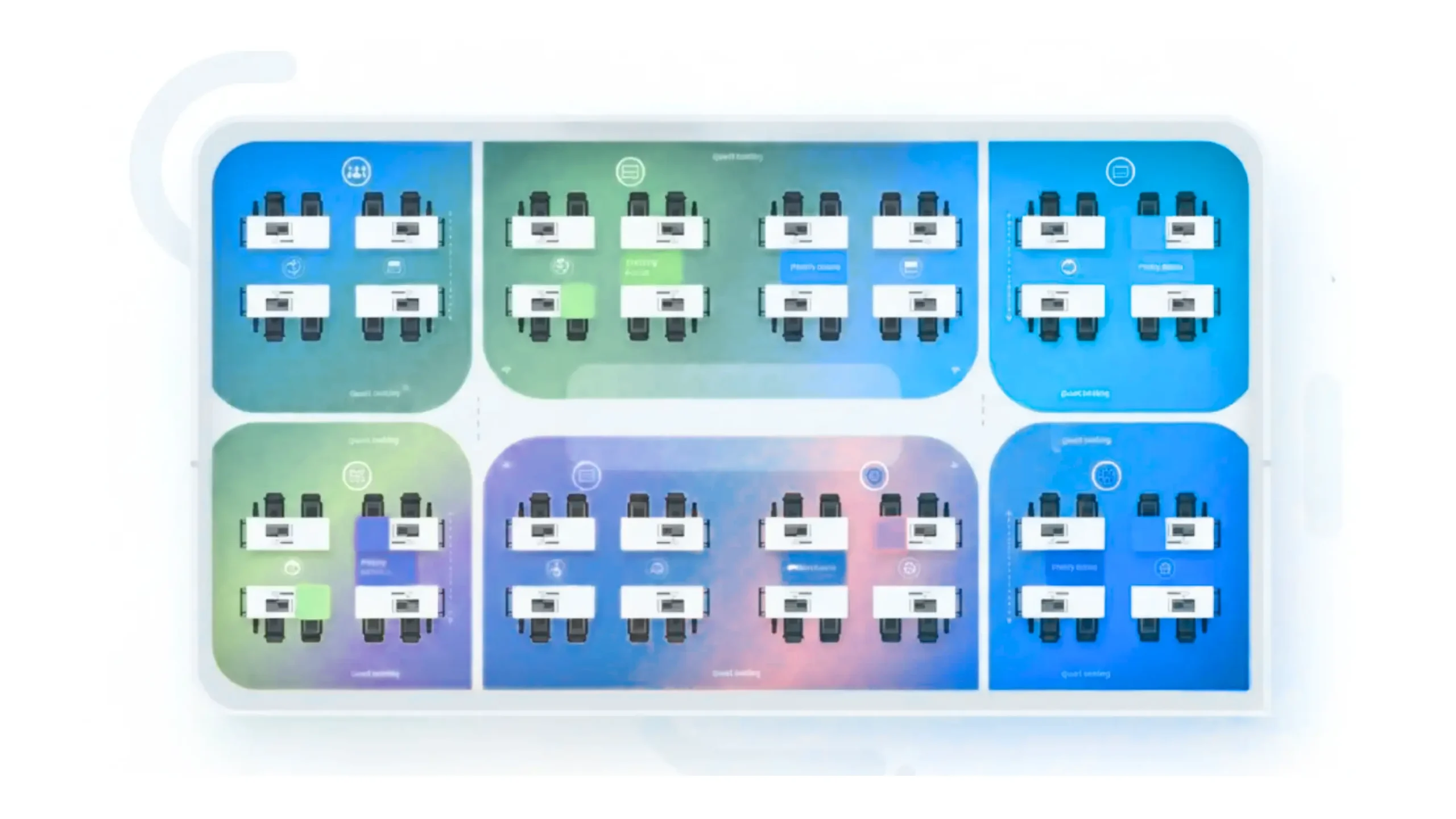
Team Neighborhoods
Group desks into zones for a team, department or project so people land near the colleagues they work with, while the seating stays flexible.

Desk Filtering and Amenity Search
Filter by dual monitors, standing desks, window seats or a quiet zone, and save the filters you use most for one-tap booking next time.

Multi-Location and Multi-Floor Support
Run every building and floor from one dashboard, with time-zone aware availability and admin roles scoped to each region or site.

Face Recognition Check-In
Enrol employee faces so frequent users walk straight in without touching anything, with new faces registered on the spot when required.
Hot Desking System Features
Design flexible, efficient, and integrated workplaces with smart desk management and deep ecosystem integrations.
Interactive Floor Plan Booking
Let employees book desks directly from live office maps. See real-time availability by zone, floor, or building and reserve the perfect spot in a few clicks.
Mobile-First Reservations
Allow your workforce to book, modify, or cancel desk reservations from any device. QR-based check-ins and notifications keep bookings accurate and up to date.
Face Recognition Check-In
Optionally enroll employee faces so frequent users can walk straight in without friction. The system can also register new faces when required, maintaining security and convenience.
Visitor Management Integration
Connect with your visitor management system to pre-assign desks for guests, contractors, or partners. Ensure every visitor has a compliant, traceable workspace from check-in to check-out.
Attendance System Integration
Sync check-ins and desk usage with HR and attendance systems, giving you accurate presence records for hybrid teams without extra manual processes.
Access Control Integration
Link bookings with door controllers and access cards to restrict sensitive zones, enforce time-bound entry, and ensure only authorized users access specific areas or neighborhoods.
Operational Efficiency Reports
Monitor occupancy trends, peak hours, ghost bookings, and neighborhood usage. Use ready-to-share dashboards to optimize space allocation and reduce real estate costs.
Customizable Workflows
Configure booking rules, approval flows, grace periods, and cancellation policies per team, building, or seating zone, matching your unique hybrid-work policies.
Multi-Site Visibility
View and compare desk utilization across multiple offices and regions from one dashboard. Standardize policies while still honoring local workplace realities.
No Hardware Dependency
Run the system on existing laptops, tablets, and lobby kiosks via any modern browser. Add sensors or panels only where needed, no proprietary hardware lock-in.
Flexible Deployment
Deploy in a single office, across a campus, or in multiple countries. Cloud-ready architecture supports staged rollouts, pilots, and scale-up as your hybrid strategy matures.
Intelligent Auto-Release Rules
Automatically free up desks when users don't check in within a set window. Eliminate ghost bookings and keep high-demand desks available for people who actually show up.
Connect your hot desking ecosystem in one place
Built on our Open Integration Framework, Entry2Exit connects with HR and identity directories, access control, biometric readers, cameras and kiosk hardware, regardless of brand.


Genetec
 Active Directory
Suprema

SAFR
SUNMI
Matrix Comsec
- Plus any custom integrations
Workplaces We Optimize with Hot Desking
Flexible, analytics-driven seating for hybrid teams across industries and sites.
Corporate Offices
Enable hybrid schedules with mobile-first booking, team neighborhoods, and real-time occupancy. Reduce unused space, improve collaboration, and standardize booking policies across departments.
- Hybrid schedules without a seating spreadsheet
- Standard booking policy across every department
- Live occupancy for facilities and HR

Tech and Startups
Support agile sprints with flexible seat pools, amenity-based filters (dual monitors, stand-up desks), and quick reconfiguration. Shift from fixed seating to dynamic, project-based neighborhoods.
- Seat pools that follow the sprint, not the org chart
- Amenity filters for monitors and stand-up desks
- Reconfigure a zone in minutes

Coworking Spaces
Run multi-tenant hot desking with member tiers, day passes, and auto-release for no-shows. Give members live maps, instant booking, and amenity search while you get clear utilization analytics.
- Member tiers and day passes in one system
- Auto-release recovers no-show seats
- Utilisation data per tenant

Consulting and Agencies
Hoteling for traveling consultants with calendar sync, mobile check-ins, and client-based zones. Keep bench teams productive and ensure fair access with priority windows and role-based rules.
- Hoteling for consultants who travel weekly
- Client-based zones for confidential work
- Priority windows keep access fair
Education Campuses
Provide faculty and staff with shared offices, bookable desks, and quiet zones. Use peak-hour analytics to right-size admin spaces across departments and library or study areas.
- Shared faculty offices with bookable desks
- Quiet zones for marking and research
- Peak-hour data to right-size admin space

Healthcare Admin Offices
Support shift-based teams with time-bound bookings, QR and NFC check-ins, and controlled access to privacy zones. Reduce idle desks while maintaining compliance and audit trails.
- Time-bound bookings that match shift patterns
- Controlled access to privacy zones
- Full audit trail for compliance

Government and Public Sector
Implement shared workspaces with strong governance: role-based permissions, booking limits, and transparent audit logs. Improve service delivery with efficient, flexible seat usage.
- Role-based permissions and booking limits
- Transparent audit logs for every reservation
- Deploy on-premise where policy requires it

Multi-Site Enterprises
Unify bookings across buildings and regions with multi-location, multi-floor maps. Time-zone aware schedules, centralized analytics, and local admin roles keep global workplaces coordinated.
- One dashboard across every building and region
- Time-zone aware availability
- Local admin roles under central reporting


Secure, compliant, and deployed on your terms
Entry2Exit holds enterprise security standards while staying fast to deploy and simple to run, whether you host it yourself or let us manage it.
Deployment Options
Choose from any flexible deployment options; use existing on-premise servers or create a private cloud for Entry2Exit. We provide fully managed server options as well.
On-Premise Server
Use existing on-premise server to deploy Entry2Exit.
Private Customer Owned Cloud
Use existing or new cloud server hosted and managed by the customer.
Managed Cloud Server
Experience peace of mind with our secure managed cloud server option.

Multi Branch Support
Effortlessly manage multiple locations from a single, unified platform. Ensure smooth operations, centralized control, and a consistent experience across all your branches.

Endless Customizations
From user interface to workflow logic, every Entry2Exit solution is fully customizable. Tailor features, branding, and integrations to fit your unique operational needs, without compromising performance or scalability.
Frequently Asked Questions
Have More Questions? Contact UsWhat is a hot desking system?
A hot desking system is software that lets employees reserve a workspace instead of owning a fixed desk. Staff see which seats are free on a live floor plan, book the one they want, check in when they arrive, and the desk returns to the pool when they leave. For the organization it turns seating from a manual allocation exercise into measurable, bookable capacity.
How long does it take to deploy Entry2Exit Hot Desking?
A single office with an existing floor plan is usually live within a week, covering setup, desk mapping, policy configuration and admin training. Multi-building or multi-country rollouts are staged site by site, and most customers begin with a pilot floor before extending to the rest of the estate.
Do we need to buy new hardware?
No. The system runs in any modern browser on the laptops, tablets and lobby kiosks you already have, and employees book from their own phones. Desk sensors, panels or biometric readers are optional and can be added only in the zones where you want them. There is no proprietary hardware lock-in.
What happens if someone books a desk and does not turn up?
The booking is released automatically. You set the grace window, commonly 10, 15 or 30 minutes, and if there is no check-in within it the desk returns to the available pool and the user is notified. Repeat no-shows can optionally be restricted, which is what keeps utilisation figures honest.
Can it work alongside our existing access control and HR systems?
Yes. Entry2Exit is built on an Open Integration Framework, so bookings can be linked to door controllers, access cards, biometric readers, Active Directory or LDAP, and HR or attendance platforms. Where a connector does not already exist, we build it as part of the deployment.
Can employees sit with their own team?
Yes. Desks can be grouped into neighborhoods for a team, department or project, with their own booking rules and priority access. People keep the flexibility of hot desking while still landing near the colleagues they work with day to day.
Where is our data stored?
Wherever your policy requires. You can deploy on your existing on-premise servers, on a private cloud you own and manage, or on a managed cloud server we operate for you. Data encryption is supported across all three, and access is governed by role-based permissions with a full audit trail.
How do we measure whether it is working?
The analytics dashboard reports occupancy by hour, day, floor, team and site, along with peak periods and released no-show bookings. Most customers track desk-to-employee ratio and average utilisation before and after rollout, then use those figures to decide how much space they actually need.
See Entry2Exit in action
Book a walkthrough with our team. We'll map your floors, show you live booking and occupancy on your own layout, and give you a straight answer on how much seating you really need.
Book a Demo