What you’ll learn
- What dock scheduling software does and how it works
- Which dock scheduling tools stand out in 2026
- How the top tools compare on features, pricing and reviews
- Why Entry2Exit is the best dock scheduling software overall
Dock scheduling sounds like a calendar problem. Give each truck a time slot and you’re done. In real life it is never that clean.
Trucks arrive early, late or with no booking at all. Drivers wait outside the gate with the engine running. Your team spends the morning on calls and emails, and a 30-minute unload turns into a three-hour wait. Then detention fees show up on the invoice.
I work at Entry2Exit, and we build dock and yard software for warehouses, factories, ports and terminals. So I see this problem up close. I also think you should see every serious option before you pick one.
In this guide I break down 20+ dock scheduling tools. You’ll see the features, pricing and reviews of each one. At the top I list who each tool is best for, so you can go straight to the ones that fit your site.
If you want to see how ours works first, take a look at the Entry2Exit Dock and Yard Management System.
Shortlist of the best dock scheduling software
Best dock scheduling software overall: Entry2Exit
Best fit for warehouses, factories, 3PLs, ports and oil and gas terminals that need more than a booking calendar. Entry2Exit covers dock scheduling, truck queues, gate entry with ANPR, driver checks and loading workflows on one platform. Everything is customized to how your site runs. It is rated 5/5 on G2.
Best for carrier self-scheduling at scale: Opendock
A strong option for high-volume distribution centres in North America. Many carriers already have Opendock accounts, which makes booking easier. Pricing is quote-based and set per facility.
Best for busy distribution centres with strict rules: C3 Reservations
Great for grocery, retail and 3PL sites with many dock doors and complex receiving rules. Setup takes more time, but the rules engine is deep.
Best for simple, low-cost scheduling: DataDocks
Ideal if you want a clean calendar that carriers can book on their own. Plans start at $249 per month, and users often praise how easy it is to use.
Best for large shipper and carrier networks in Europe: Transporeon
A practical pick for manufacturers and retailers with many carriers across Europe. It connects to a very large carrier network, but it is built for big operations and carries enterprise pricing.
Methodology: can you trust this review?
For analysis purposes, I kept it simple and focused on three things:
- Real user feedback. Mainly from review sites like G2 and Capterra.
- Vendor information. What each company shares on its website, pricing pages, demo videos and product docs.
- Public case studies. Customer results and projects that each vendor has published.
G2 has a dedicated Dock Scheduling category, with around 45 products and over 1,000 reviews. That made it easier to compare tools side by side. Where a tool had fewer than five reviews on G2, I marked it as “Not enough reviews” and leaned more on Capterra and vendor docs.
In each listing, you’ll find:
- Core features
- Pricing overview
- Pros and cons
- Bottom line (my verdict)
There’s also an overview table below, which is useful to scan first. Pricing and plan limits change often, so check the latest details with the vendor before you decide.
And yes, I work for Entry2Exit. I’ve put us at #1 because I believe we are the best fit for most sites, and I explain why. For every other tool, I’ve tried to be fair and point out where they do better.
Dock scheduling software overview table
| Tool | Scheduling and carrier experience | Gate, yard and dock floor | Customization and integration | Starting price | G2 rating |
|---|---|---|---|---|---|
| Entry2Exit | Dock scheduling plus smart truck tokens for walk-in trucks; SMS, WhatsApp and email alerts | ANPR gates, driver KYC, bay allocation, loading SOP checklists, live yard map | Fully customizable workflows; WMS, ERP and weighbridge links; on-premise or cloud | Quote-based | 5/5 ⭐ |
| Opendock | Carrier self-booking with a large existing carrier network | Driver check-in, SmartGate camera check-in, yard assignments | Configurable rules, API, SSO on Enterprise | Quote, per facility | 4.5/5 |
| C3 Reservations | 24/7 carrier and supplier portal, rule-based unload times | Exception handling, receiving audits | Deep rules engine; TMS and WMS APIs | Usage-based quote | 4.7/5 |
| DataDocks | Branded carrier portal, automatic reminders | QR check-in, load time tracking, checklists | Easy setup; API and ERP links | $249/month | 4.6/5 |
| Transporeon | Time slot booking across a large carrier network | Real-time loading status, yard visibility | Rules, KPIs, part of a wider transport platform | Quote-based | 4.1/5 |
| GoRamp | Time slot management, one-link carrier booking | Live yard map, gate plate scanning, driver self check-in | API and EDI; built-in transport procurement | From $175/month | 4.4/5 |
| Conduit | Online booking, recurring appointments | QR and text check-in, yard visibility | Compliance and chargeback tools | $7,000/year | 4.7/5 |
| Velostics | Three-way scheduling for shipper, carrier and consignee | QR and text check-in, BOL capture, yard view | TMS connectors billed per integration | From $4,500/year | 4.8/5 |
| Descartes | Carrier and vendor web booking with validated order data | Compliance incidents and chargebacks | Links to Descartes TMS, WMS and its logistics network | Quote-based | Not enough reviews |
| Mobiledock | Automated booking with approval rules | Boom gate and plate recognition access | API and third-party integrations | $800/month | Not enough reviews |
| YardView | Rules-based scheduling, carrier self-service | Drag-and-drop yard map, gate check-in | Unlimited users; custom terms | Quote-based | Not enough reviews |
| Veyor | Time-slot bookings for shared loading docks | Driver induction checks, plate recognition at boom gates | Built for malls and mixed-use buildings | Quote-based | 4.5/5 |
| Alpega Smart Booking | Time slots with carrier self-service | Real-time rescheduling | Standalone or part of Alpega TMS | Quote-based | 4.3/5 |
| Cargoson LoadingCalendar | Branded booking links, unlimited docks | Document and photo upload, touchscreen support | Works alone or with Cargoson TMS | From $99/month | 4.8/5 |
| Slot’s Eyes | Time slot booking for loading and unloading | Incident handling, traceability | ERP, TMS, access control and weighbridge links | From €300 | Not enough reviews |
| FourKites | AutoBooker shared calendar and AI scheduling agent | Dynamic Yard, AutoGate AI computer vision gate | Part of a large visibility platform | Quote-based | Not enough reviews |
| Kaleris YMS | Appointment scheduling inside a yard system | BLE trailer tracking, automated gate reads | Enterprise yard focus | Quote-based | Not enough reviews |
| Manhattan Active Yard Management | Appointments tied to Manhattan transport data | Trailer selection, door assignment, Facility Pass | Best inside the Manhattan suite | Quote-based | Not enough reviews |
| Terminal Industries | Carrier appointments as part of a yard OS | Computer vision gates and asset tracking | API links to WMS and TMS | Quote-based | Not enough reviews |
| Peripass | Self-service check-in in the driver’s own language | Kiosks, access badges, digital twin of the site | Integrates with access control | Quote-based | Not enough reviews |
#1 Entry2Exit: Best dock scheduling software overall
Entry2Exit has a 5/5 rating on G2, the highest in this list.
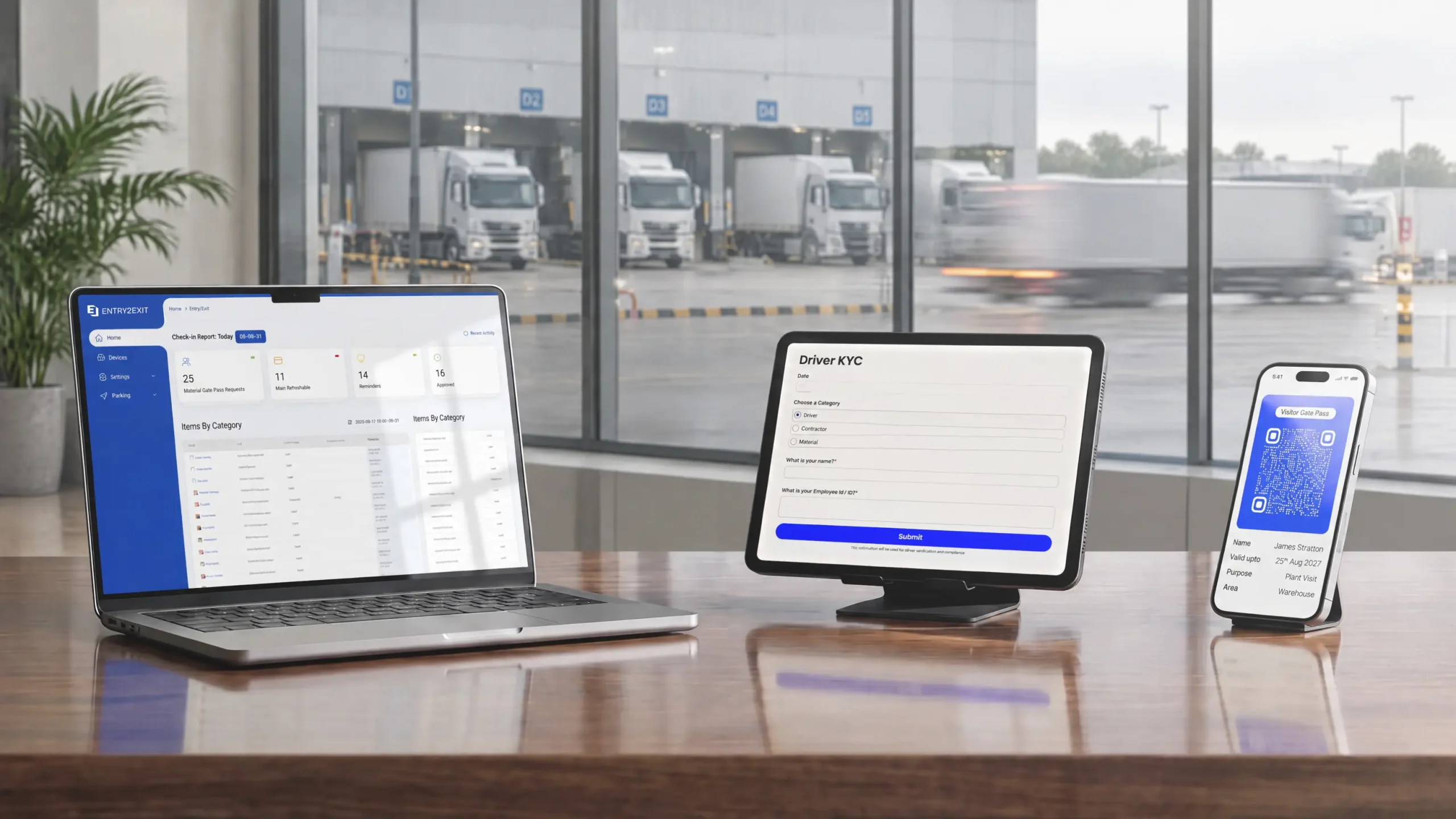
Entry2Exit builds facility and logistics software, and it has been running projects since 2015. The Entry2Exit Dock and Yard Management System covers the full truck journey: booking, gate entry, waiting, loading, sign-off and exit.
Most tools in this list stop at the booking. That works well when every truck arrives on time with an appointment. But many sites also get trucks that turn up without one, or arrive hours late. Entry2Exit handles both. Booked trucks get their slot, and walk-in trucks get a token and join a fair queue.
The other big difference is customization. Every dock and yard runs differently. So instead of a fixed setup, we shape the system around your workflow, your rules and your existing hardware.
Entry2Exit’s core dock scheduling features
- Dock and yard scheduling. Book loading, unloading and any other dock activity from one dashboard. The system blocks double bookings and resource clashes before they happen.
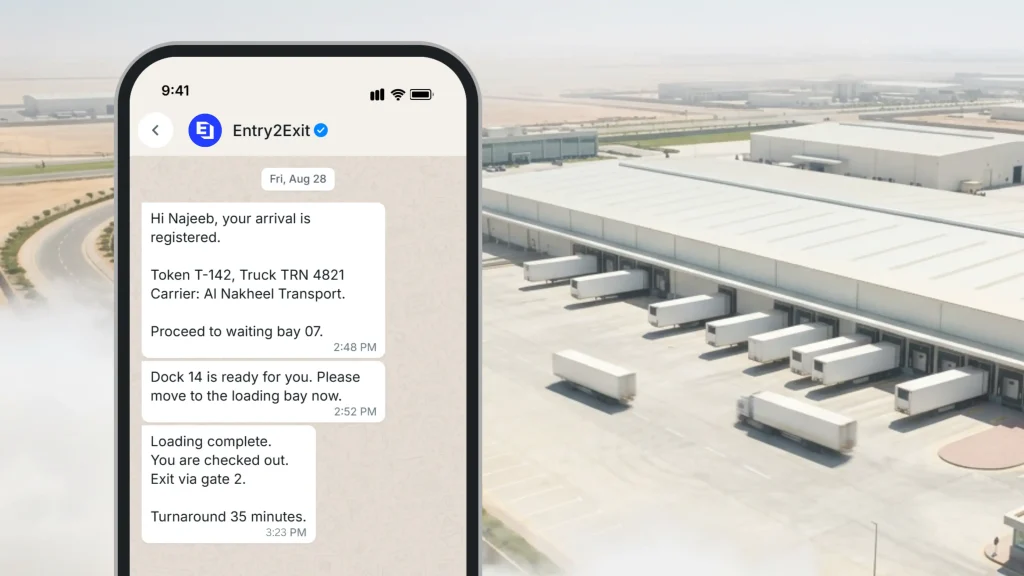
- Smart truck queue management. Trucks get a digital token on arrival. The queue reorders itself based on dock readiness and priority, with separate waiting areas inside and outside the yard.
- Fair, first-come order. The first truck to register is the first truck served. No one jumps the line through favours, which drivers notice and appreciate.
- Fast driver check-in. Drivers scan a QR code and fill in their name, phone number, transport company and any other details you need. Registration takes a few minutes.
- SMS, WhatsApp and email alerts. Drivers are told when to go to the parking bay, the loading bay or the delivery bay. Alerts work in multiple languages and escalate to supervisors when an SLA is missed.
- ANPR and gate control. Cameras read the plate and link it to the dock booking. The barrier opens only for trucks with a valid slot. It works with cameras you already own, including Dahua, Hikvision and Axis.
- Driver KYC. Capture and check IDs, licences and permits at the gate. Expired or unapproved documents are flagged right away.
- Parking bay allocation. Trucks are assigned to yard bays based on truck type, load and how long they’ll stay. A colour-coded map shows free and taken bays.
- Loading and unloading workflow. Every stage is time-stamped: dock-in, start, complete and dock-out. Staff follow SOP checklists, scan pallets or cartons against the ASN or PO, and capture photos of any damage.
- Weighbridge and device links. Weights and device readings flow into the record automatically.
- Live vehicle tracking. See every truck from gate to dock to exit on a live map, using ANPR, GPS, RFID or BLE data. You can replay history to find where congestion started.
- Operational insights. Track loading times, dock use, turnaround, dwell time and idle time by carrier. Export reports to Excel, PDF or your BI tool.
- Multi-site management. Run every warehouse or yard from one login, with shared rules and site-level changes where needed.
- WMS and ERP integration. Keep orders, receiving and dock data in sync with your existing systems.
- No special hardware needed. The software runs in a browser on standard computers. Add cameras, kiosks or barriers only where they help.
Pricing overview
Entry2Exit pricing is quote-based. The price depends on the number of sites and docks, the modules you need, the integrations, and how you want to host the software. Since the system can reuse cameras and barriers you already own, you don’t pay for hardware you don’t need.
You can pick from three deployment options:
- On-premise server. Run Entry2Exit on your existing servers.
- Private cloud. Host it on a cloud server that you own and manage.
- Managed cloud. We host and manage it for you.
This matters for ports, oil and gas terminals and other sites that must keep data on their own servers. For a quote, talk to our team.
Pros and cons of the Entry2Exit dock scheduling software
Entry2Exit is a full facility platform, so dock scheduling is one part of it. You can add gate passes for goods leaving the site, visitor management, and parking management on the same system. If you are dealing with long truck lines, I’ve also written a complete guide to truck queue management.
🟢 Handles booked and walk-in trucks. Appointments and live queues run side by side, which suits factories, terminals and busy distribution centres.
🟢 Covers the whole journey. Gate, yard, dock, loading checks and exit are all in one system, so there are no gaps between tools.
🟢 Deep customization. Workflows, rules, forms, alerts, dashboards and branding are built around how your site works.
🟢 Works with your hardware. Keep your cameras, barriers and weighbridges. The open integration framework connects to most brands.
🟢 Flexible hosting and 24/7 support. Run it on-premise, in your own cloud or in ours. Support is available around the clock.
🔴 No public price list. You need a short call or site review before you get a firm number.
🔴 Carriers need a quick setup. Unlike the big North American and European networks, carriers won’t already have an account. Drivers can still check in with a QR code in minutes.
🔴 More than a small dock needs. If you have two doors and ten trucks a day, a simple booking calendar may be enough.
💡 Bottom line: Entry2Exit is the best dock scheduling software if you want one system for bookings, truck queues, gate control and loading checks, shaped around your own workflow. See how Mai Dubai improved their dock management with Entry2Exit.
Fix All Your Dock Problems,
With One Solution
Schedule docks, queue trucks and track every move from gate to dock-out.
#2 Opendock: Carrier self-scheduling at scale
Opendock is one of the most widely used dock scheduling tools in North America. It is owned by Loadsmart, a US freight technology company. Its biggest strength is its carrier network. Many carriers already have an Opendock login, so they can book at your site without a new signup.
One public example is Glazer’s Beer & Beverage. It moved 11 distribution centres onto Opendock, and carriers now book 99% of inbound loads on their own.
Core dock scheduling features
- Carrier self-service portal. Carriers book, reschedule and cancel inbound or outbound appointments 24/7.
- Dock and capacity setup. Set dock hours, appointment lengths and capacity per slot. Freed-up slots reopen automatically.
- Drag-and-drop calendar. Warehouse staff can move appointments around in seconds.
- Recurring appointments. Standing slots for regular carriers.
- Documents and notes. Carriers upload BOLs and other files to the booking.
- In and out time tracking. Each appointment logs arrival, dock assignment and completion.
- Carrier scorecards. See which carriers arrive on time and which don’t.
- SmartGate. Camera-based check-in at the gate, tied to each appointment.
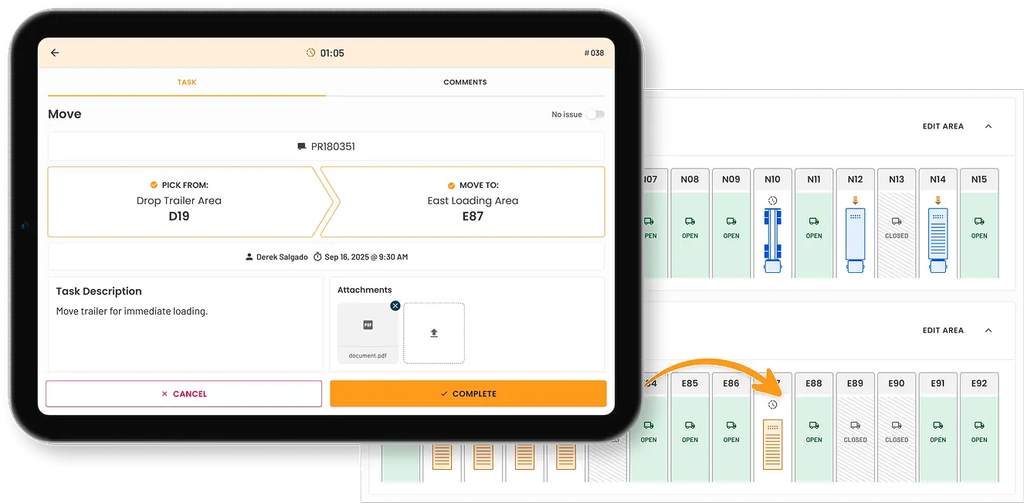
- Yard assignments. Drag-and-drop yard moves and driver check-in.
- TV Mode and API. A live board for the dock floor, plus an API for your WMS or TMS.
Pricing overview
Opendock pricing is quote-based, billed as a flat yearly fee per facility. Third-party listings put it at around $6,000 to $7,000 per facility per year. There’s a Standard plan and an Enterprise plan with SSO and integration consulting. There’s no free trial.
Pros and cons based on customer feedback
🟢 Huge carrier network. Carriers who already use Opendock can book with you right away.
🟢 Fewer calls and emails. Self-booking takes most scheduling work off your team.
🟢 Proven at scale. Large multi-site distributors run on it.
🔴 Costs add up for small sites. A flat fee per facility is hard to justify for a low-volume dock.
🔴 Extra modules cost more. One Capterra reviewer was unhappy about paying more for features on top of an existing subscription.
🔴 North America focus. The carrier network is far smaller outside the US and Canada.
💡 Bottom line: Opendock is a great fit for high-volume distribution centres in North America. If your trucks often arrive without appointments, or you need deep workflow changes, compare it with more flexible options.
#3 C3 Reservations: Rule-heavy scheduling for busy DCs
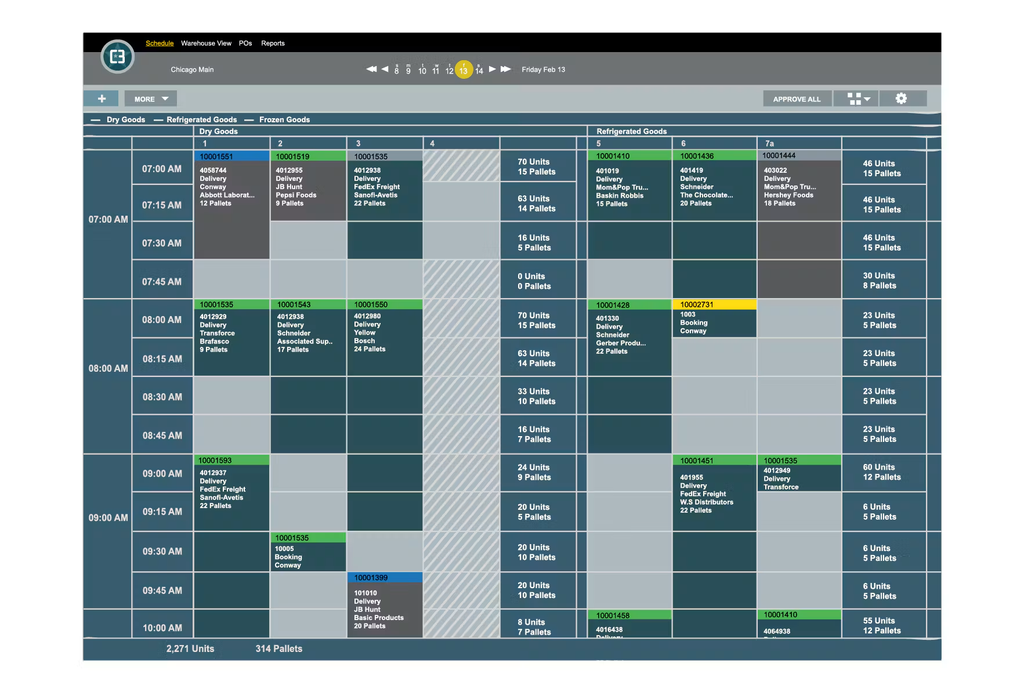
C3 Reservations is made by C3 Solutions, a company based in Montreal, Canada, with about 25 years in the market. It’s built for high-traffic warehouses, grocery distribution, retail and 3PL sites. C3 also sells a separate yard management system.
Core dock scheduling features
- Self-serve carrier and supplier portal. Open 24/7. Carriers and suppliers manage their own logins and booking requests.
- Rule-based unload times. The system works out how long each unload should take based on your rules.
- Exception handling. Requests that break the plan become tasks your team can approve, change or decline.
- Capacity model. Plan labour and equipment against booked volume.
- Custom notifications. Emails set by recipient, content and language.
- Audits and compliance. Log load faults and run receiving audits.
- Carrier and supplier scorecards.
- Multi-site and multilingual. One system across many sites, in several languages.
- Integrations. APIs for TMS, WMS and RTV systems. It can also run on its own.
Pricing overview
C3 uses usage-based pricing but doesn’t publish figures. G2 reviewers report about two months to implement and about eight months to see a return.
C3 says its customers see up to 90% fewer calls and emails and up to 30% higher dock productivity. One case study reports $35,000 saved per month in detention charges. These are vendor claims.
Pros and cons based on customer feedback
🟢 Very strong rules engine. Good for sites with complex receiving rules and many dock doors.
🟢 Built for volume. Proven at sites with 10+ dock doors and 100+ appointments a day.
🟢 Security. C3 states it holds ISO/IEC 27001 certification.
🔴 Heavier setup. Getting the rules right takes discovery and configuration time.
🔴 More than small sites need. A two or three door warehouse may not use much of it.
🔴 No public pricing.
💡 Bottom line: C3 Reservations is a solid choice for large DCs with strict receiving rules. If you also need truck queues, gate ANPR and loading checklists in the same system, you’ll need to add other tools.
#4 DataDocks: Clean, simple scheduling
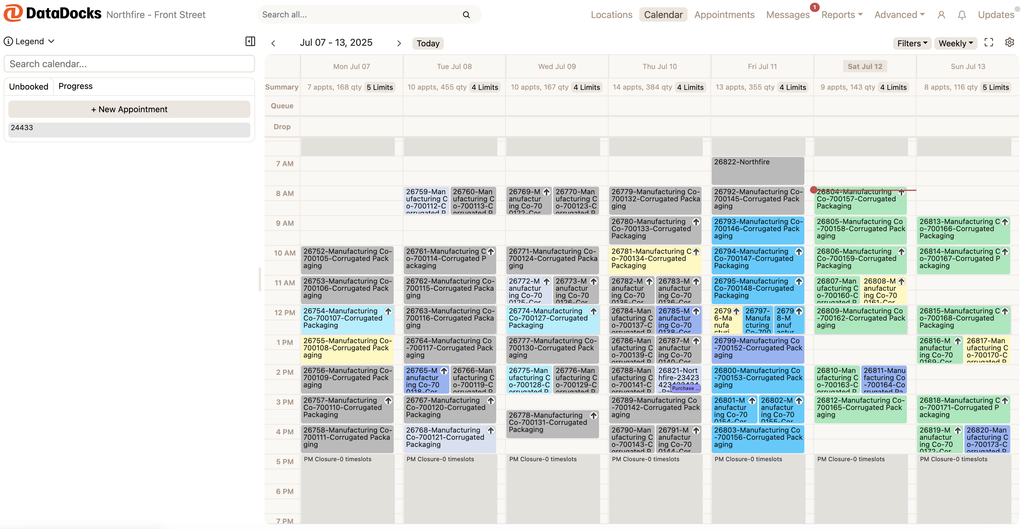
DataDocks is a focused dock scheduling tool known for being easy to use. It’s rated 4.6/5 on G2 and 4.9/5 on Capterra, where reviewers often mention how quickly their teams picked it up.
Core dock scheduling features
- Branded carrier portal. Carriers book their own appointments online.
- Real-time dock dashboard. See what’s booked, arrived and in progress.
- Automatic reminders. Notifications help cut no-shows.
- Appointment rules. Capacity limits and booking rules per dock.
- QR code check-in. Drivers check in on arrival.
- Loading time tracking and checklists. Track how long each load takes and what was done.
- Yard and dispatch tools. Basic yard visibility and jockey orders.
- Mobile apps. Web, Android and iOS.
- Integrations. NetSuite, SAP Business One, SAP Business ByDesign, Oracle Fusion Cloud ERP, Power BI and Microsoft Entra ID.
Pricing overview
DataDocks starts at $249 per month on its Start plan, billed as a flat rate. Capterra lists a free trial, but some directories say there isn’t one, so confirm with the vendor.
Pros and cons based on customer feedback
🟢 Easy to use. Reviewers say staff and carriers learn it fast.
🟢 Fewer calls and emails. Carriers book themselves, and reminders cut no-shows.
🟢 Responsive support. Reviewers say the team listens and acts on feedback.
🔴 Limited reporting. Some users export data to build their own charts.
🔴 Carrier adoption takes effort. Some carriers and brokers enter wrong details at first.
🔴 Text alerts cost extra. One reviewer found SMS expensive.
💡 Bottom line: DataDocks is a great pick for small and mid-sized warehouses that want a clean booking calendar. If you need gate control, truck queues or deep workflow changes, look at broader platforms.
#5 Transporeon: Time slots across a huge carrier network
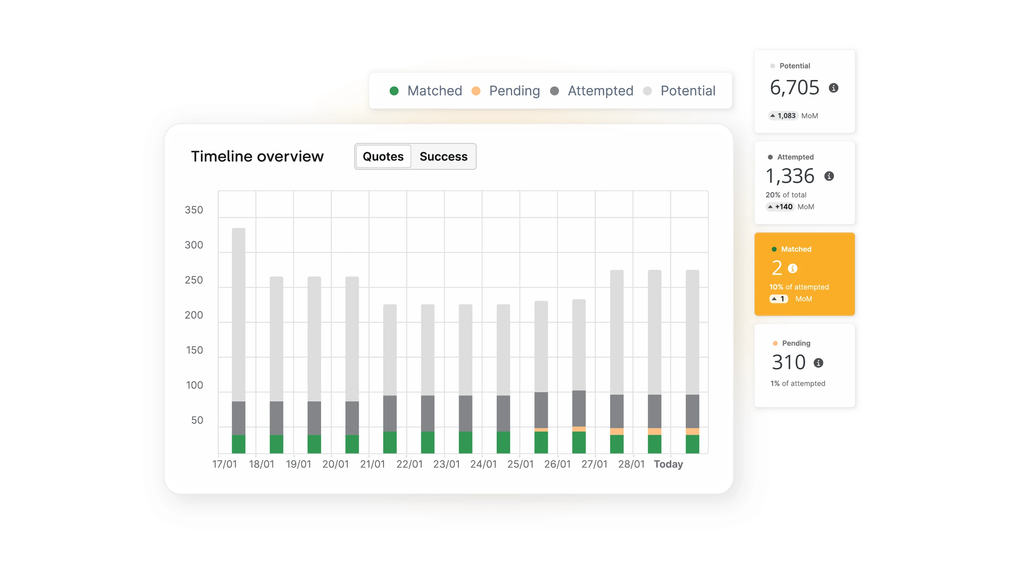
Transporeon is a German logistics platform and part of Trimble. Its Time Slot Management product is used by more than 1,500 shippers and retailers and connects to over 210,000 carriers.
It’s a strong fit for large manufacturers and retailers in Europe that already work with many carriers.
Core dock scheduling features
- Digital resource planning. Map docks, ramps and forklift operators to each shipment’s needs.
- Smart slot length. Works out how long loading will take from shipment and warehouse data.
- Shared truck details. Vehicle, driver and safety details are visible to shippers, carriers and receivers.
- Real-time status. Teams see and update each truck’s loading status live.
- Audit-proof records. Registrations, safety instructions and status changes are logged.
- Rules and reminders. Set your own booking rules and send automatic updates to drivers and suppliers.
- KPIs. Reports on waiting and processing times.
- Yard management. A related product automates arrival, check-in and call-off.
Pricing overview
Transporeon doesn’t publish pricing. It’s quoted as part of an enterprise contract.
Transporeon says customers see up to 20% higher dock productivity and 40% less waiting time. These are vendor claims.
Pros and cons based on customer feedback
🟢 Very large carrier network. Many European carriers already use the platform.
🟢 Part of a full transport platform. Tendering, visibility and slot booking in one place.
🟢 Strong for complex sites. Good at matching trucks to the right ramp and resources.
🔴 Lower G2 score. It sits at 4.1/5, the lowest of the main tools here.
🔴 Enterprise focus. Smaller sites may find it heavy and costly.
🔴 No public pricing.
💡 Bottom line: Transporeon is a smart choice for big shippers in Europe with large carrier networks. For a single site or a site that needs gate and queue control, simpler tools may serve you better.
#6 GoRamp: Dock and yard for growing teams
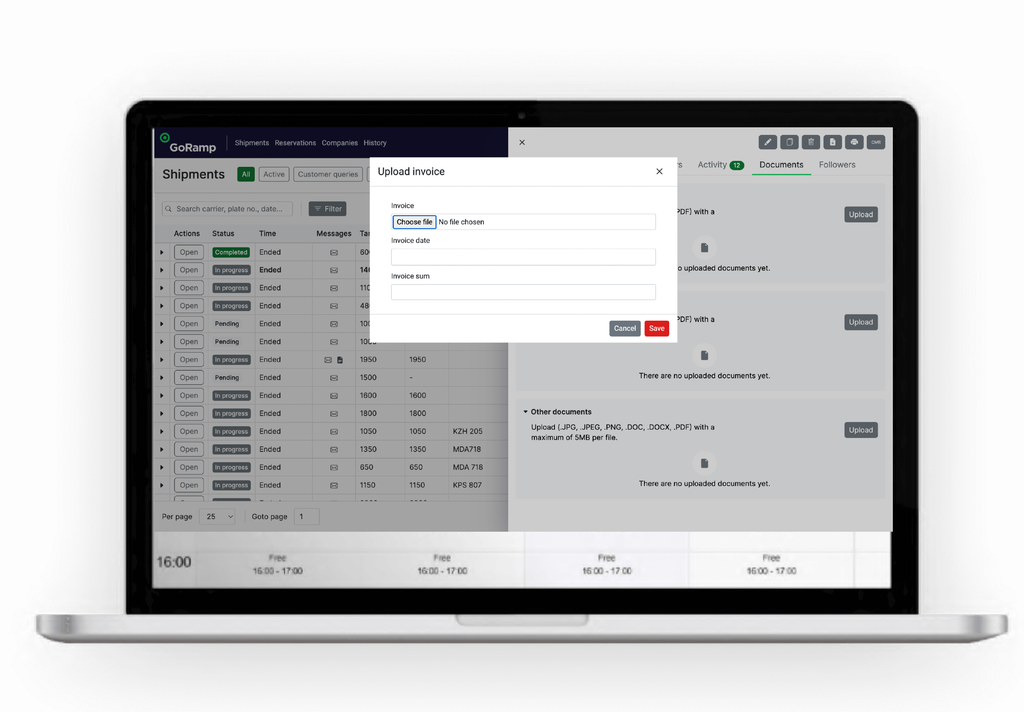
GoRamp is a European dock scheduling and yard tool, founded in 2016. It’s aimed at small and mid-sized teams in manufacturing, food production, building materials and retail. Its interface is available in English, German, Polish and Russian.
Core dock scheduling features
- Time slot management. Inbound and outbound booking with your rules.
- One-link carrier booking. Carriers register and book through a single link, free of charge.
- PO validation. Checks order numbers during booking.
- Driver self check-in. Drivers check in on their phone.
- Live yard map. See trucks and trailers on site in real time.
- Gate plate scanning. Plate recognition at the gate.
- Queue management. Call trucks forward when a dock is ready.
- KPI dashboards. Track waiting times and dock use.
- API and EDI. Connect to WMS, TMS and ERP systems.
Pricing overview
GoRamp publishes pricing, which is rare in this market. Capterra lists plans from $175 per month, and G2 lists a monthly subscription from $249. There’s a free trial. G2 reviewers report about one month to implement.
Pros and cons based on customer feedback
🟢 Transparent pricing. You can see costs before talking to sales.
🟢 Dock and yard together. Booking, gate and yard map in one tool.
🟢 Quick setup. Teams can be live in weeks.
🔴 Learning curve. Some reviewers found the move from spreadsheets hard at first.
🔴 Costs rise with scale. More docks, sites and modules mean a higher plan.
🔴 Busy screens. Some users feel it shows more information than they need.
💡 Bottom line: GoRamp is a solid pick for growing teams that want dock and yard features at a clear price. If you need custom workflows, driver KYC or on-premise hosting, compare it with more flexible platforms.
#7 Conduit: Dock scheduling with compliance tools
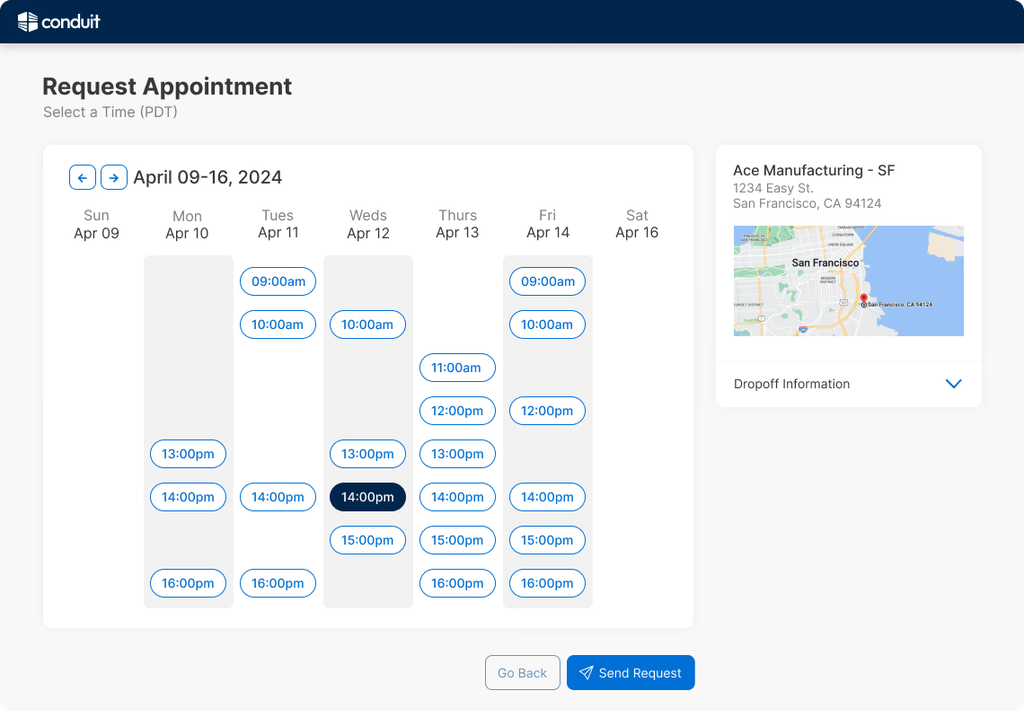
Conduit is a San Francisco company founded in 2022. It’s newer than most tools here, but it has built up strong reviews quickly. It serves mid-size and large warehouses and 3PLs with heavy truck traffic.
Core dock scheduling features
- Online booking. Carriers book appointments online.
- Recurring appointments and reminders.
- Capacity management. Control how many trucks each dock can take.
- Driver check-in. QR code and text message check-in.
- Yard visibility. See trailer locations and status.
- Compliance and chargebacks. Track carrier compliance and manage chargebacks through Conduit’s Orders platform.
- Integrations. NetSuite, Uber Freight, WarehouseManager and yard management tools.
Pricing overview
Conduit’s Dock Management plan starts at $7,000 per year as a flat rate. Custom plans are also available. There’s no free trial.
Pros and cons based on customer feedback
🟢 Easy to use. Reviewers find it simple and quick to learn.
🟢 Smoother check-in. Drivers check in faster, and teams handle fewer calls.
🟢 Strong ratings. 4.7/5 on G2 and 4.9/5 on Capterra.
🔴 Limited slot options. Some users want more control over time slots and rescheduling.
🔴 One site at a time. A reviewer noted they couldn’t view several facilities at once.
🔴 Some settings need Conduit’s help. Not everything can be changed by your own admins.
💡 Tip: All of Conduit’s Capterra reviews are marked as vendor-referred. That doesn’t mean they’re wrong, but read them with that in mind.
💡 Bottom line: Conduit is a good fit for US warehouses that want scheduling plus compliance and chargeback tools. If you need gate ANPR, driver checks or on-premise hosting, look at broader systems.
#8 Velostics: Three-way scheduling for 3PLs
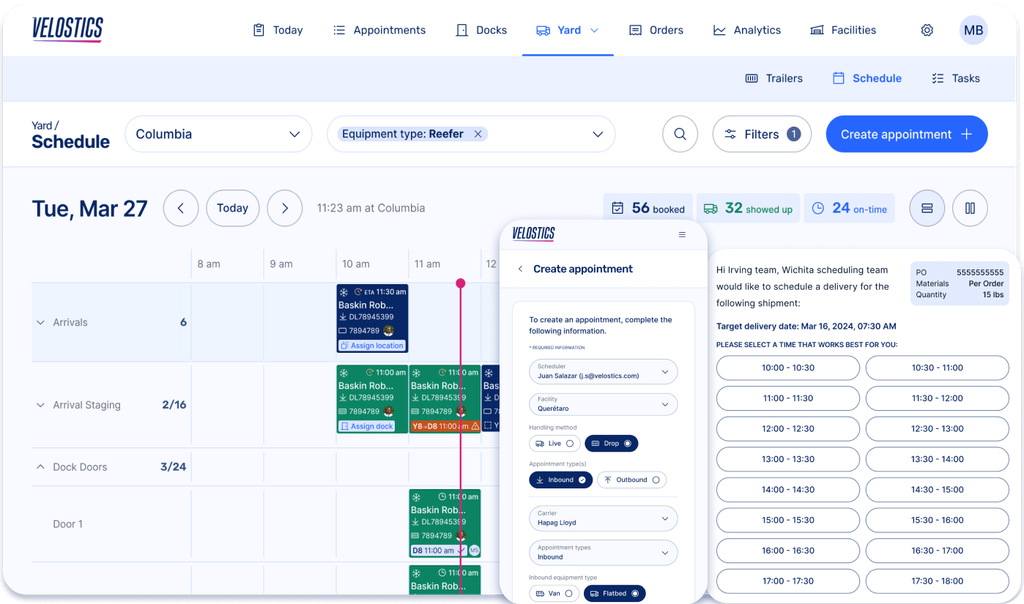
Velostics is an AI-assisted dock and yard platform for manufacturers, retailers and 3PLs. Its standout feature is three-way scheduling. The shipper, the carrier and the consignee all work from the same calendar, which helps when you’re booking on behalf of your customers.
Core dock scheduling features
- Three-way scheduling. Shipper, broker and receiver windows lined up on shared calendars.
- Carrier self-booking. Auto-generated booking pages for carriers.
- AI dock and yard help. Suggests parking spots and jockey moves, and flags detention risks.
- Pass check-in. Contactless check-in by text or QR code, with custom forms and BOL capture.
- PO and load checks. Catches document errors at check-in.
- Yard view. A maps-based view of the yard.
- Voice AI scheduling. An add-on that books appointments by phone.
- Integrations. Native links to Oracle OTM and MercuryGate, plus APIs for SAP, Blue Yonder, Manhattan and other WMS and ERP systems.
Pricing overview
Velostics starts at $4,500 per year for its Standard package, which covers its Slot, Dock and Yard editions. Add-ons like Pass, Network and AI agents cost extra, and TMS integrations are billed one by one. G2 says a free trial is offered to companies with more than five facilities.
Pros and cons based on customer feedback
🟢 Great for 3PLs. Three-way scheduling solves a real pain for teams booking for clients.
🟢 Quick onboarding. Reviewers say training is short, and no yard hardware is required.
🟢 Helpful support. Customers mention a team that keeps improving workflows after go-live.
🔴 Add-ons raise the cost. Year-one spend can grow fast once you add modules and connectors.
🔴 Some fixed settings. A few settings can’t be changed, so teams adjust their SOPs instead.
🔴 Few reviews. Only 9 reviews on G2, though they average 4.8/5.
💡 Bottom line: Velostics is a strong pick for 3PLs that schedule across shippers and receivers. If you need deep customization or on-premise hosting, look at more flexible platforms.
#9 Descartes Dock Appointment Scheduling: Part of a large logistics network
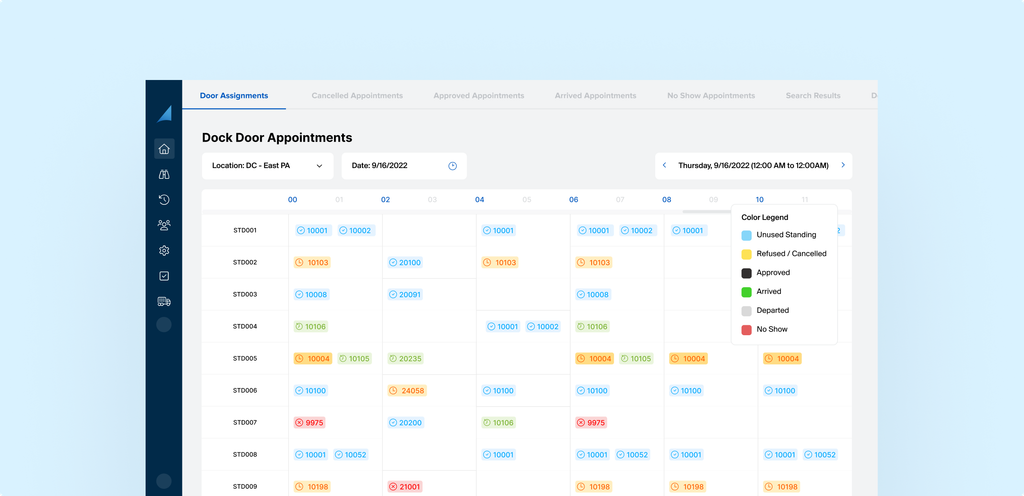
Descartes is a Canadian logistics software company with a very wide product range. Its Dock Appointment Scheduling tool moves booking work from your warehouse to your carriers and suppliers. It works best when you already use other Descartes products.
Core dock scheduling features
- Online booking. Carriers and vendors book on the web and see status in real time.
- Validated forms. Booking forms are pre-filled and checked against order and shipment data.
- Scheduling rules. Coordinators can prioritise or refuse requests, or let rules decide.
- Audit trail. A record of every change, who made it and when, to settle disputes.
- Milestone emails. Alerts for reschedules, refusals, damage and no-shows.
- Recurring slots and blocked times. Standing slots for regular carriers, and blocks for holidays.
- Compliance and chargebacks. Track compliance incidents and charge back carriers or suppliers.
- TMS and WMS links. Assign doors automatically and prepare receiving labour ahead of time.
Pricing overview
Descartes doesn’t publish pricing. Dock scheduling is often quoted together with its transport management tools.
Pros and cons based on customer feedback
🟢 Strong for retailers. Compliance and chargeback tools suit retail supply chains.
🟢 Wide ecosystem. Connects to the Descartes logistics network and its TMS and WMS tools.
🟢 Clear audit trail. Helpful in detention or damage disputes.
🔴 Best inside Descartes. You get the most value if you already use its other products.
🔴 Few public reviews. On G2, it’s covered under Descartes Transportation Management, with only 3 reviews.
🔴 No public pricing.
💡 Bottom line: Descartes is a sensible choice for retailers and shippers already on Descartes. For a standalone dock system with gate and queue control, there are simpler options.
#10 Mobiledock: Dock booking for warehouses, hospitals and malls
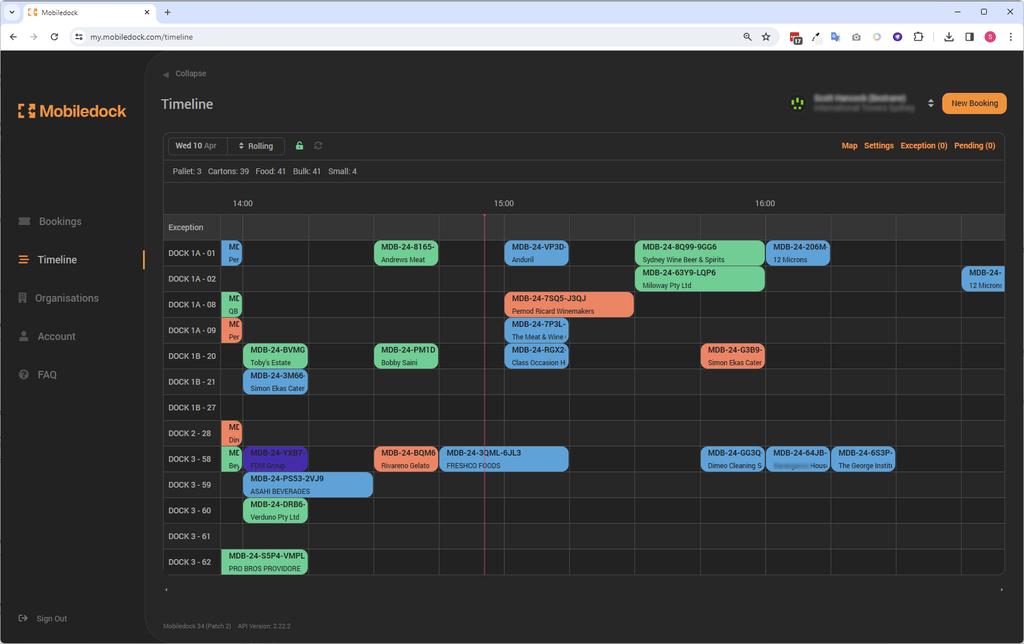
Mobiledock is an Australian dock booking and yard platform. It has customers in Australia, New Zealand, the UK, Europe and North America. It’s used in warehouses, hospitals, airports and retail centres.
Core dock scheduling features
- Automated booking. Online booking with rules that can approve requests on their own.
- Self-service portals. For suppliers, carriers and clients.
- Multi-location support. Manage several sites from one account.
- Site access control. Links to boom gates and license plate recognition.
- Labour and resource planning. Plan staff and equipment around bookings.
- Alerts and reminders. Email and SMS notifications.
- Reports. Performance metrics and activity tracking.
- Integrations. Manhattan Active WM, NetSuite, Procore, Twilio, CommandCenter and Myfreight.
Pricing overview
Mobiledock starts at $800 per month on its Core plan, billed monthly. A free trial is available.
Mobiledock says customers see up to 35% higher dock efficiency and 50% faster turnaround. These are vendor claims.
Pros and cons based on customer feedback
🟢 Easy to use. Reviewers rate ease of use at 4.9/5 on Capterra.
🟢 Highly configurable. Automatic approval rules save admin time.
🟢 Great support. Customer support scores 5.0/5 on Capterra.
🔴 Carrier onboarding. New suppliers and carriers can find registration slow.
🔴 Reporting could go deeper. Users want more filters and analytics.
🔴 Higher entry price. $800 per month is steep for a small single-site dock.
💡 Tip: All of Mobiledock’s Capterra reviews were invited by the vendor, so treat the scores as a guide.
💡 Bottom line: Mobiledock is a good fit for shared docks in malls, hospitals and mixed-use sites, especially in Australia and the UK. For heavy truck traffic with walk-in queues and driver checks, compare it with broader platforms.
#11 YardView: Simple yard and dock visibility
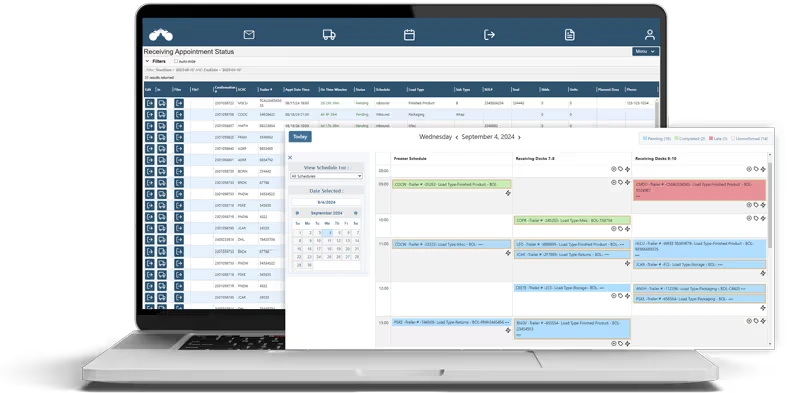
YardView is a long-running US yard management and dock scheduling tool. It has a strong Capterra score of 4.9/5 from 27 reviews. In January 2026, it was acquired by Vector, a private equity backed company.
Core dock scheduling features
- Rules-based scheduling. Custom schedules by building or dock side.
- Carrier self-service. Carriers book their own appointments.
- Dwell and detention tracking. Milestones after arrival are tracked.
- Drag-and-drop yard map. Live view of trailers and assets.
- Spotter tasks. Send move requests to drivers’ in-cab devices.
- Gate check-in. With optional camera and kiosk support.
- Reports. Auto-emailed reports and Excel exports.
Pricing overview
YardView doesn’t publish prices. It’s sold as a cloud subscription on custom monthly or quarterly terms. The vendor says plans include unlimited users and no per-transaction limits, and that most setups take six weeks or less.
Pros and cons based on customer feedback
🟢 Easy to use. Ease of use and customer service both score 5.0/5 on Capterra.
🟢 Quick to roll out. Reviewers say implementation is fast.
🟢 Unlimited users. Carriers, customers and partners can all log in without extra fees.
🔴 Limited dashboards. Some users want more ways to customize reports.
🔴 Forced logouts. Updates require all users to log out.
🔴 Ownership change. Ask about the product roadmap after the Vector acquisition.
💡 Bottom line: YardView is a good choice for US sites that want yard visibility and dock scheduling that’s easy to learn. For deeper workflow control and multi-country support, compare it with more flexible tools.
#12 Veyor: Booking for shared loading docks
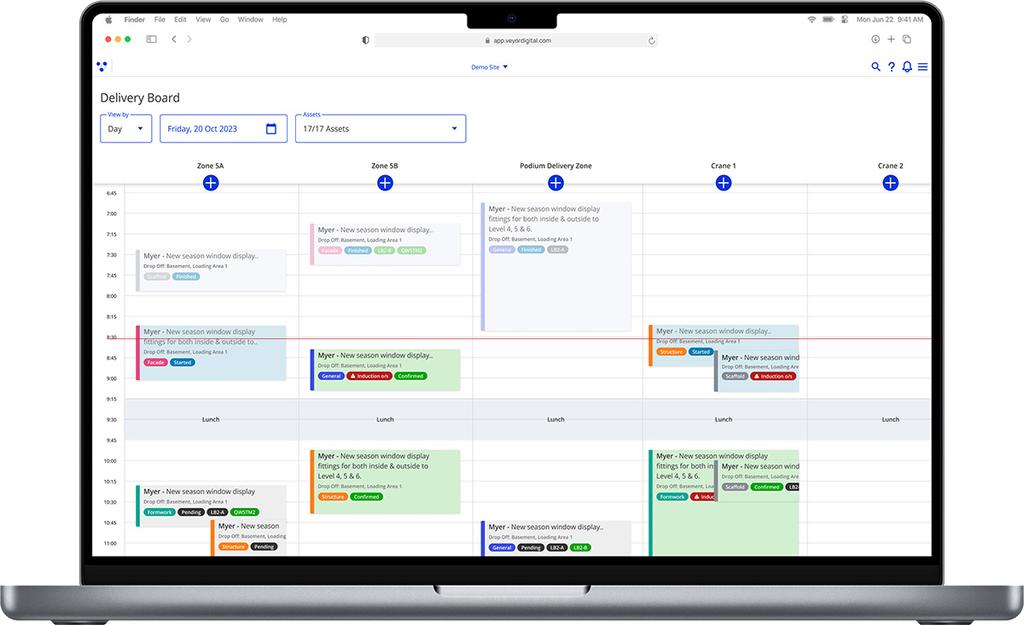
Veyor is a dock booking platform with offices in Sydney, Australia and Austin, US. It’s built for shared loading docks in shopping centres, office towers and construction sites. Customers include GPT Group, Vicinity Centres and Westfield.
At Melbourne Central, about 150 vehicles a day use a single shared dock. Before Veyor, trucks queued for up to an hour. Within weeks of going live, booking compliance reached 85% to 90%.
Core dock scheduling features
- Time slot booking. Replaces first-come, first-served with scheduled slots.
- Driver induction checks. Drivers are vetted during booking. Bookings with incomplete inductions are denied.
- Automatic site access. Approved bookings get access, with plate recognition linked to boom gates.
- Driver guidance. Directs drivers to their bay by a safe route.
- Live ETAs. See when drivers will arrive.
- Usage records. Logs who entered, which tenant they delivered to and how long they stayed.
Pricing overview
Veyor doesn’t publish pricing. Projects are quoted per site.
Pros and cons based on customer feedback
🟢 Made for shared docks. Strong fit for malls and multi-tenant buildings.
🟢 Safety built in. Induction checks before a driver arrives.
🟢 Real results. Clear before-and-after numbers from large shopping centres.
🔴 Not built for warehouses. Less suited to high-volume DCs with complex receiving.
🔴 Regional focus. Most customers are in Australia.
🔴 No public pricing.
💡 Bottom line: Veyor is a great pick for shopping centres and buildings with one busy shared dock. For warehouses, factories and terminals, look at dock and yard platforms.
#13 Alpega Smart Booking: Slot booking inside a TMS
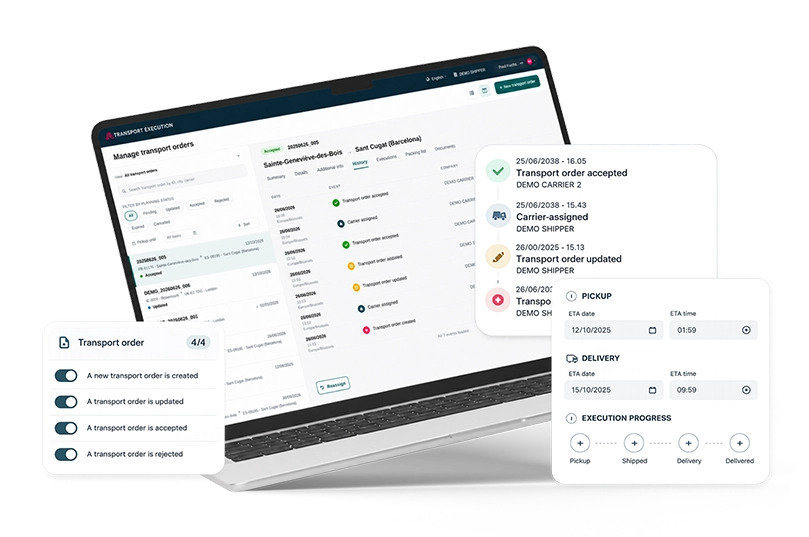
Alpega is a European logistics software group, and Smart Booking is its dock slot booking product. It can run on its own or inside Alpega TMS. Many older reviews still call it by its former name, Transwide.
Core dock scheduling features
- Time slot management. Set slots per dock and site.
- Carrier self-service. Carriers book, change and cancel their own slots.
- Real-time rescheduling. Changes trigger automatic notifications.
- KPI analytics. Track waiting times and dock use.
- ERP integration. Connects to ERP systems.
- Large carrier network. Alpega cites a network of over 80,000 carriers.
- Many languages. Available in 15 languages.
Pricing overview
Alpega doesn’t publish pricing. It’s sold on enterprise contracts, and setup usually takes a few weeks with guided help.
Pros and cons based on customer feedback
🟢 Easy to learn. Reviewers describe a simple, organised layout.
🟢 Less driver waiting. Users say appointments keep trucks from backing up at facilities.
🟢 Multi-language. Helpful for carriers across Europe.
🔴 Downtime and speed. Some reviewers report outages and slow pages.
🔴 Different rules per site. Carriers say each facility asks for different booking details.
🔴 Too many emails. Users mention lots of notifications for a single load.
💡 Bottom line: Alpega Smart Booking makes sense for European shippers that want slot booking inside a TMS. If you need a fast, flexible standalone dock system, compare it with newer tools.
#14 Cargoson LoadingCalendar: The low-cost starter option
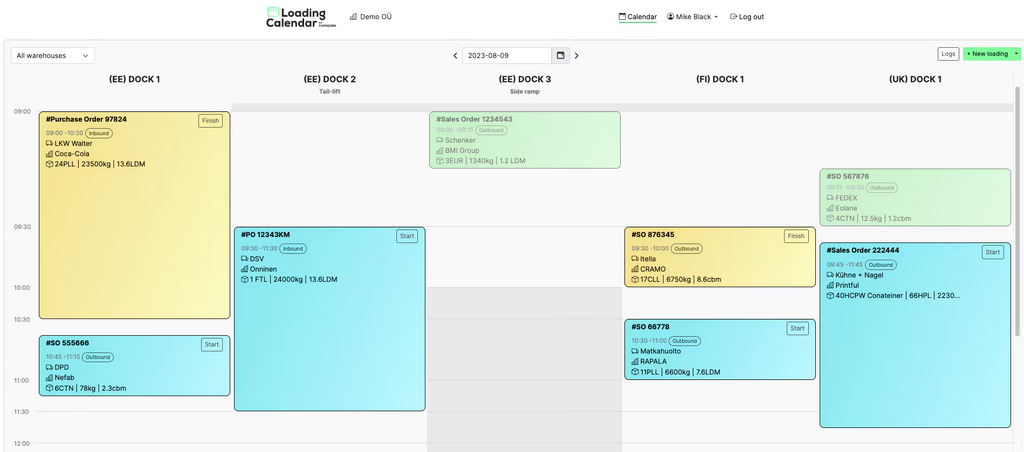
LoadingCalendar is the dock scheduling module from Cargoson, a transport software company based in Tallinn, Estonia. It works on its own or with Cargoson’s wider transport tools. It’s one of the cheapest options in this list.
Core dock scheduling features
- Branded booking links. Carriers and suppliers book through a link with your logo and colours.
- Dock time slots. Set docks, opening hours and loading times per load type.
- Unlimited docks and warehouses. On the published plan.
- User roles. Admin, team member and warehouse worker profiles.
- Real-time overview. See every loading and unloading with supplier, truck and goods details.
- Documents and photos. Attach shipping papers and images to each booking.
- Touchscreen support. Works on tablets, phones and smart boards.
- Activity log. Records who did what and when.
Pricing overview
LoadingCalendar starts at about $99 (€99) per month, with a 14-day free trial.
Pros and cons based on customer feedback
🟢 Very affordable. A good way to move off spreadsheets and phone calls.
🟢 Easy to start. Reviewers say it’s simple even for beginners.
🟢 Helpful support. One reviewer was given an extended trial.
🔴 Hard to manage at scale. One reviewer found a shared calendar for many warehouses hard to handle as they grew.
🔴 Limited customization. Some changes aren’t possible.
🔴 Few reviews. Only 3 Capterra reviews for LoadingCalendar itself.
💡 Bottom line: LoadingCalendar is a smart first step for small warehouses on a tight budget. Once you need gate control, queues or deeper workflows, you’ll likely outgrow it.
#15 Slot’s Eyes: Slot booking for Spain and Latin America
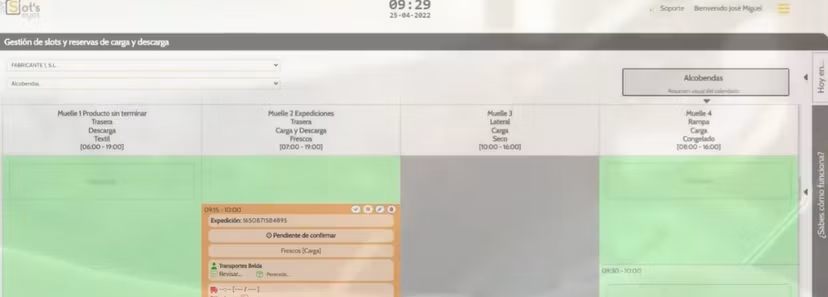
Slot’s Eyes is a Spanish dock management tool based in Sabadell, near Barcelona. It’s popular with manufacturers, logistics operators and carriers in Spain, and it’s also used across Latin America, France and Italy.
Core dock scheduling features
- Time slot booking. Manufacturers, operators and carriers book loading and unloading slots.
- Workload planning. See the daily and weekly load in advance.
- Business rules and incidents. Set your own rules and manage problems as they happen.
- Two-way carrier communication. Messages between your team and carriers in one place.
- Traceability. A full record of each operation, including temperature logs and incident photos.
- Integrations. ERP, TMS, access control, weighbridges, scanners and terminals.
- Multi-language. Uses AI to support drivers and carriers in many languages.
Pricing overview
Slot’s Eyes starts at around €300, with a free trial. Confirm the billing period with the vendor.
Pros and cons based on customer feedback
🟢 Easy to use. Capterra reviewers rate it 4.8/5, with ease of use at 4.9.
🟢 Clear workload view. Teams see what’s coming each day and week.
🟢 Responsive team. Reviewers say the vendor adapts the tool to their requests.
🔴 Less known outside Spain. Most reviews are in Spanish.
🔴 Younger product. One reviewer said it was less developed at the start.
🔴 No G2 reviews yet.
💡 Bottom line: Slot’s Eyes is a good value pick for Spanish and Latin American sites. Outside those markets, check local support before you commit.
#16 FourKites: AI scheduling inside a visibility platform
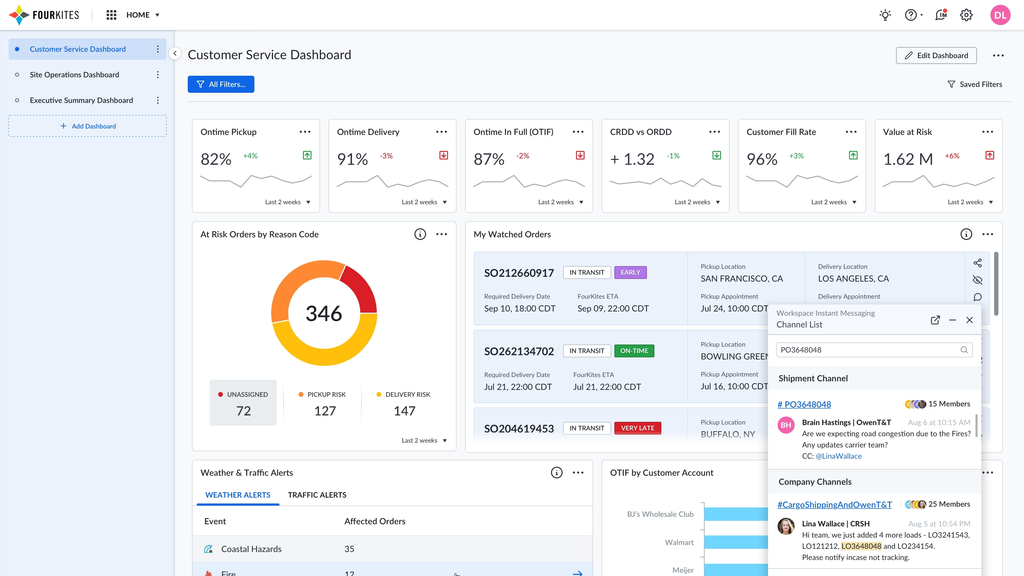
FourKites is a large US supply chain visibility company. It serves more than 1,600 global brands and processes over 3.2 million supply chain events a day. Its dock and yard tools sit inside that wider platform.
Core dock scheduling features
- AutoBooker. A shared booking calendar that adjusts to network conditions and clears booking conflicts.
- Alan, the AI scheduling agent. Handles appointments across email, carrier updates, receiver portals and phone. FourKites says it cuts scheduling workload by 50%.
- Dynamic Yard. A live digital model of the yard that assigns spotter tasks and watches for detention.
- AutoGate AI. Computer vision gates that check trucks in automatically.
- Visibility data. Live ETAs from FourKites tracking feed into your schedule.
Pricing overview
FourKites doesn’t publish pricing. Dock and yard tools are usually sold as part of a larger platform deal.
FourKites says AutoGate AI cuts check-in from over 10 minutes to under 2, and saves $70,000 to $150,000 in labour per facility each year. These are vendor claims.
Pros and cons based on customer feedback
🟢 Live ETAs. Schedules can react to where trucks really are.
🟢 Strong AI features. Agents and computer vision take repetitive work off your team.
🟢 Big-brand track record. Used by many global shippers.
🔴 Built for large networks. A single warehouse won’t use most of it.
🔴 Few reviews for the yard product. Dynamic Yard has only one review on G2.
🔴 No public pricing.
💡 Bottom line: FourKites is worth a look if you already use it for shipment tracking. If you want a focused dock system you can shape to your site, there are simpler choices.
#17 Kaleris YMS: Enterprise yard management with appointments
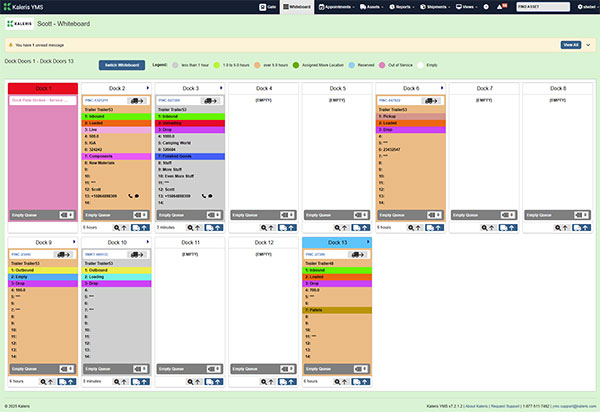
Kaleris is a US company known for yard and terminal software. Its Yard Management System (YMS) includes appointment scheduling, but its core strength is managing trailers across big yards. It serves Fortune 500 shippers in North America and Europe.
In 2023, ABI Research ranked Kaleris YMS as the Overall Market Leader in its yard management ranking.
Core dock scheduling features
- Appointment scheduling. Each truck gets a set arrival time for loading or unloading.
- Intelligent Movement. Yard managers can change dock doors and parking spots on the fly.
- Real-time trailer tracking. Bluetooth tags give near-instant trailer location and status.
- Automated gate reads. Trailers are logged at the gate without manual entry.
- Yard move automation. Plans and optimises jockey moves.
- Industry fit. Retail, consumer goods, food and beverage, automotive and 3PL yards.
Pricing overview
Kaleris doesn’t publish pricing. Projects are quoted after a site review.
Pros and cons based on customer feedback
🟢 Deep yard control. Strong for big yards with many trailers.
🟢 Trailer tracking hardware. Bluetooth tags cut manual yard checks.
🟢 Industry recognition. Ranked highly by ABI Research.
🔴 Yard first, dock second. Scheduling is one module in a large system.
🔴 Enterprise scale. Too much for small and mid-sized sites.
🔴 No G2 reviews yet.
💡 Bottom line: Kaleris is a fit for large shippers with big trailer yards. If you mainly need dock booking, truck queues and gate control, a focused dock platform will be quicker to run.
#18 Manhattan Active Yard Management: Best inside the Manhattan suite
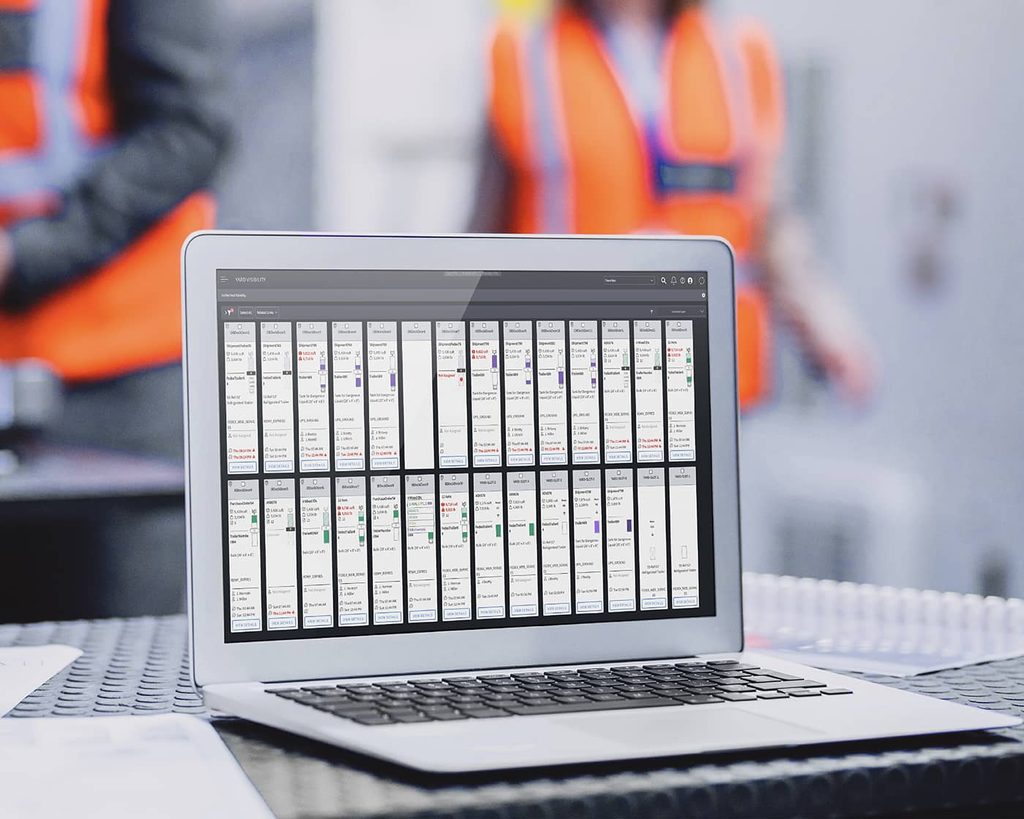
Manhattan Associates is a major US supply chain software company. Its Active Yard Management product ties yard work to Manhattan’s warehouse and transport systems. It’s a natural choice if you already run Manhattan.
Core dock scheduling features
- Digital twin of the yard. A visual view of dock doors, yard spots, trailer contents and arrival ETAs.
- Smart trailer selection. Picks the next trailer for each door based on putaway, cross-docking, detention risk and stock needs.
- Automatic door assignment. Doors and yard moves follow warehouse staging plans.
- Gate check-in and out. For trailers and drivers, on desktop or mobile.
- Transport-aware check-in. Pulls routing and shipping details into the appointment.
- Facility Pass. A permit that lets approved carriers into set areas during their appointment.
- Alerts. Dwell time, delay and demurrage risk warnings.
Pricing overview
Manhattan doesn’t publish pricing. It’s sold as part of enterprise Manhattan Active deals.
Pros and cons based on customer feedback
🟢 Deep warehouse link. Yard decisions use live inventory and staging data.
🟢 Smart trailer choices. Helps avoid stockouts and detention.
🟢 Enterprise grade. Built for large, complex networks.
🔴 Needs the Manhattan suite. Manhattan says its advanced trailer logic only works when warehouse, transport and yard all run on its platform.
🔴 Heavy rollout. Enterprise projects take time and budget.
🔴 Mixed reviews. Manhattan Active Supply Chain scores 3.8/5 on Capterra from 6 reviews.
💡 Bottom line: Manhattan Active Yard Management makes sense if you already run Manhattan WMS and TMS. If not, a standalone dock and yard system will be faster and cheaper.
#19 Terminal Industries: Computer vision for the yard
Terminal Industries is a US company building an AI yard operating system. It uses cameras and computer vision to check trucks in, track assets and verify loads. Gartner featured it in its 2025 Yard Management Market Guide.
Core dock scheduling features
- Computer vision gates. Automated check-in and check-out with fixed or mobile cameras.
- Carrier appointments. Booking as part of the wider yard system.
- Driver and carrier checks. Driver ID and carrier risk checks at the gate.
- Asset tracking. Real-time location of trailers and containers.
- Load verification and damage detection. Cameras spot problems early.
- Spotter dispatch. Yard move orders for jockeys.
- API links. Connects to WMS and TMS systems.
Pricing overview
Terminal Industries uses service-based pricing and doesn’t publish figures. It offers a two-day on-site proof of value.
Terminal says customers see up to 85% faster gate processing and 75% fewer errors. These are vendor claims.
Pros and cons based on customer feedback
🟢 Strong gate automation. Cameras replace a lot of manual checking.
🟢 Quick proof of value. A short on-site trial before you commit.
🟢 Security focus. Helps spot fraud and theft at the gate.
🔴 Yard first. Dock scheduling isn’t its main product.
🔴 Hardware heavy. You’ll need cameras across the site.
🔴 No G2 reviews yet.
💡 Bottom line: Terminal Industries suits large yards that want camera-led automation. If your main pain is dock booking and truck queues, start with a dock-focused system.
#20 Peripass: Self-service check-in for European sites
Peripass is a Belgian company based in Ghent. It builds yard and site access software for manufacturing, food and beverage, logistics and retail. Customers include Bridgestone, Danone and H.Essers.
It also built Port Pass, a digital ID and access system now rolling out across 21 terminals at North Sea Port.
Core dock scheduling features
- Self-service check-in kiosks. Drivers register in their own language and get updates by SMS.
- Compliance rules. Different rules per visitor type, like truck drivers, visitors and contractors.
- Access control. Issues PIN codes or activates badges, and links to access systems like Nedap AEOS.
- Digital twin. A live model of who and what is on site.
- Biometric ID. Port Pass uses ID scans and face checks for port access.
- Languages. English, Dutch, French and German.
Pricing overview
Peripass doesn’t publish pricing. Projects are quoted per site.
Pros and cons based on customer feedback
🟢 Great driver check-in. Kiosks in the driver’s own language cut queues at the gate.
🟢 Strong on compliance. Useful for sites with strict safety and security rules.
🟢 Works with access control. Ties check-in to badges and gates.
🔴 Check-in first. Dock booking is less central than in dock-focused tools.
🔴 Europe focus. Most customers are in Europe.
🔴 Few reviews. Peripass has 6 reviews on Capterra, averaging 4.2/5.
💡 Bottom line: Peripass is a strong choice for European sites that need fast, compliant driver check-in. If you also need full dock scheduling and loading workflows, pair it with a dock system or choose an all-in-one platform.
(Even) more dock scheduling solutions to choose from
- IntelliTrans DockMaster: Formerly CarrierPoint DockMaster. Carrier self-scheduling with real-time dock appointment visibility.
- DockHero: Dock and yard scheduling with carrier self-booking, order checks and carrier scorecards.
- DockSync: Appointment management for inbound and outbound loads, with supplier self-booking.
- LOGIFLY: Dock scheduling with reservations and real-time visibility, rated 4.6/5 on Capterra.
- Easy Docking: Warehouse and dock operations software, rated 4.8/5 on Capterra.
- WHC Dock Scheduling: Inbound and outbound appointment booking, with plans from $33 per month.
- Dock Ranger: Cloud-based scheduling for dock operations and appointments.
- Shiptidock: An all-in-one dock scheduling platform aimed at large companies.
- slotbase: A lightweight web app for logistics time slots and yard flow.
- BiggerPicture: Dock management software that automates scheduling and dock tasks.
- Arrivy: A scheduling platform for field crews that also handles dock appointments, with plans from $25 per user per month.
- Dashdoc: A transport management system with built-in dock scheduling for carriers and shippers.
- AppointmentPlus: Highly configurable scheduling with resource-level booking, though integrations need developer time.
- Logiwa WMS: A cloud warehouse system with dock scheduling tied to fulfilment.
- SAP Yard Logistics: SAP’s yard module for companies already on SAP, rated 4.4/5 on G2.
- Blue Yonder Warehouse Management: An enterprise WMS with dock scheduling built in, rated 4.2/5 on G2.
- project44: A large supply chain visibility platform with dock scheduling tools, rated 4.7/5 on G2.
- Doca Certa: A Portuguese-language dock scheduling tool for receiving teams in Brazil.
- Calendbook: A general booking calendar that some smaller sites use for dock slots, rated 4.6/5 on G2.
How to choose the right dock scheduling software
Dock scheduling tools can look almost the same on a demo. The real differences show up when trucks start arriving, so here’s a simple way to choose.
#1 Start with how trucks really arrive at your site
Before you look at any vendor, spend a week watching your gate. Write down what actually happens.
A few quick questions to answer:
- How many trucks arrive each day, and when are the peaks?
- How many arrive with a booking, and how many just turn up?
- How long does each truck spend at the gate, in the yard and at the dock?
- Where do trucks wait today, inside the site or on the road outside?
- What causes most delays: late trucks, slow check-in, busy docks or missing paperwork?
If most trucks book ahead, a booking calendar may be enough. If many arrive without a slot, you need live truck queues as well. I’ve covered this in more detail in our truck queue management guide.
#2 Decide how much of the truck journey you need to cover
Some tools only book slots. Others manage the full trip from gate to exit.
| Scope | What it covers | Best for | Watch out for |
|---|---|---|---|
| Booking calendar | Time slots, carrier portal, reminders | Small warehouses with mostly booked trucks | No help with walk-ins or gate control |
| Dock scheduling with check-in | Slots plus driver check-in and arrival tracking | Mid-sized DCs and 3PLs | Yard and gate still run on paper or other tools |
| Dock and yard management | Slots, check-in, yard map, trailer moves | Large DCs with trailer yards | Can be heavy to roll out |
| Full gate-to-exit platform | Slots, truck queues, ANPR gates, driver KYC, loading checks and exit | Factories, terminals, ports and busy multi-site operations | Needs a proper setup to match your workflow |
Pick the smallest scope that fixes your real problem. But make sure the tool can grow with you, so you don’t have to switch again in two years.
#3 Make it easy for carriers and drivers
The best system fails if carriers won’t use it. Check how easy it is for the people outside your company.
- Can carriers book without creating an account?
- Can drivers check in with a QR code instead of walking to a window?
- Does the system send updates by SMS, WhatsApp and email?
- Does it support the languages your drivers speak?
- Can you send a booking link to a new carrier in seconds?
#4 Look closely at pricing
Pricing models vary a lot, and this is where surprises happen:
- Flat monthly plans. You pay a set fee, often with limits on docks or features. Easy to budget.
- Per facility per year. A flat fee for each site. Simple, but it adds up for many small sites.
- Usage-based. You pay based on appointments or volume. Fair, but harder to predict.
- Enterprise quotes. No public price, with costs based on sites, modules and integrations.
Also check the extras. SMS messages, extra modules, TMS connectors, hardware and setup fees can double the first-year cost.
💡 Scroll down a bit for a dock scheduling software cost comparison.
#5 Check integrations, hosting and support
Your dock schedule should talk to the rest of your operation. Before you sign, ask each vendor:
- Does it connect to my WMS, ERP and TMS? Is it a ready-made connector or custom work?
- Can it work with my existing cameras, barriers and weighbridges?
- Can I host it on my own servers if my company requires it?
- Who supports me in my time zone and language?
- Can we start with a pilot at one site?
If goods also leave your site under escort or approval, check whether the same platform can handle gate passes. It saves running two separate systems at the same gate.
Key features to look for in dock scheduling software
The best dock scheduling software is the one your carriers, drivers and dock team all actually use. If booking is slow or confusing, carriers go back to phone calls and the calendar stops being true. So every feature below comes back to two things: easy use and accurate data.
Carrier self-booking
Carriers and suppliers should book their own slots, any time of day.
Look for:
- A booking link or portal that works without a long signup
- Clear views of open slots per dock and day
- Easy reschedule and cancel options, so freed slots open up again
- Booking forms that ask only for what you need, like PO number, load type and pallet count
- Your logo and colours on the booking page
Smart slot rules
Not every truck needs the same time. A full trailer of mixed pallets takes longer than a small parcel drop.
Good systems let you:
- Set slot length by load type, pallet count or product
- Limit how many trucks each dock can take per hour
- Keep some docks for certain carriers, suppliers or goods
- Block slots for breaks, shift changes and holidays
- Require approval for bookings outside your rules
Walk-in truck queues
This is the feature most buyers forget. Even with a good booking system, some trucks will arrive without a slot or hours late.
Look for:
- Digital tokens for trucks that arrive without a booking
- A fair, first-come order that no one can skip
- Separate waiting areas inside and outside the site
- Automatic call-forward when a dock is ready
Fast check-in at the gate
Manual check-in can take 30 minutes or more per truck. That’s where queues start.
Look for:
- QR code check-in from the driver’s phone
- Self-service kiosks in the driver’s language
- ANPR cameras that read the plate and match it to the booking
- Automatic barrier opening for trucks with a valid slot
- ID, licence and permit checks for compliance
Driver alerts
Drivers shouldn’t have to walk to an office to ask when it’s their turn.
Look for:
- SMS, WhatsApp and email alerts
- Messages for every step: go to parking, go to dock, loading done
- Templates you can edit, in several languages
- Alerts to supervisors when a truck waits too long
Dock and yard visibility
Your team should see every truck from gate to exit on one screen.
Look for:
- A live dashboard of booked, arrived, waiting and loading trucks
- A yard map that shows which bays are free or taken
- Automatic truck-to-bay assignment
- Time stamps for arrival, dock-in, start, finish and exit
Loading and unloading workflow
Scheduling is only half the job. What happens at the dock matters just as much.
Look for:
- SOP checklists your team must complete
- Barcode or QR scans against the ASN or PO
- Photo capture for damage or seal issues
- Digital sign-off by warehouse, security and carrier
- Weighbridge integration for weight records
Reports that drive decisions
Good data helps you fix the real bottleneck.
Look for:
- Average waiting, loading and turnaround times
- Dock use by hour, day and door
- Carrier on-time rates and scorecards
- Detention and dwell time tracking
- Exports to Excel, PDF or your BI tool
Integrations
Your dock schedule should share data with your other systems. Check for links to:
- WMS and ERP systems, so receiving teams prepare in advance
- TMS systems, so loads and appointments stay in sync
- ANPR cameras, barriers and access control
- Weighbridges and scanners
- Your own tools through an open API
Multi-site control
If you run more than one site, you need one login for all of them. Head office should compare sites, while each site manager runs their own docks.
Flexible hosting
Some industries, like ports, oil and gas and government, must keep data on their own servers. Check if the vendor offers on-premise or private cloud hosting, not just their own cloud.
Customization
No two docks work the same way. Ask how much the vendor can change: forms, rules, workflows, alerts, dashboards and screens. A system that fits your process will be used. One that forces a new process often gets ignored.
Dock scheduling software cost comparison
Before you compare features, it helps to know the real starting cost. Most dock scheduling vendors don’t publish prices, but a few do.
Here’s the estimated starting price for one facility (USD), based on published list prices:
| Tool | Published starting price | Rough monthly cost for one site | Notes |
|---|---|---|---|
| Cargoson LoadingCalendar | €99 per month | About $99 to $115 | Unlimited docks on the published plan |
| GoRamp | $175 to $249 per month | $175 to $249 | Listings differ, so confirm with the vendor |
| DataDocks | $249 per month | $249 | Start plan, flat rate |
| Velostics | $4,500 per year | About $375 | Add-ons and TMS connectors cost extra |
| Opendock | About $6,000 to $7,000 per facility per year | About $500 to $585 | Third-party estimate; quote only |
| Conduit | $7,000 per year | About $585 | Dock Management plan |
| Mobiledock | $800 per month | $800 | Core plan, billed monthly |
Entry2Exit, C3 Reservations, Transporeon, Descartes, YardView, Veyor, Alpega, FourKites, Kaleris, Manhattan, Terminal Industries and Peripass all use custom quotes.
One last note: these are list-price starting points. Real totals change with the number of sites and docks, SMS volume, add-on modules, integrations, hardware and setup fees. If a vendor uses custom quotes, ask for a full first-year estimate upfront, so you can compare fairly.
Benefits of using dock scheduling software
Why do warehouses and factories use dock scheduling software? Because a bad dock day costs money in many small ways that add up.
- Shorter waiting times. Trucks arrive when a dock is ready, so a 30-minute unload stays a 30-minute unload.
- Lower detention fees. Fewer trucks waiting past their free time means fewer charges from carriers.
- No more dock overbooking. The system blocks clashes before they happen.
- Fewer calls and emails. Carriers book and reschedule on their own, so your team stops chasing them.
- Better labour planning. You know what’s arriving and when, so you can staff the dock to match.
- Less fuel and fewer emissions. Trucks don’t idle for hours outside the gate.
- No queues on public roads. In many places, trucks waiting outside a site break local rules and upset neighbours and authorities.
- Fair treatment for drivers. A digital queue serves trucks in order. No one skips the line through favours.
- Clear proof in disputes. Time stamps show exactly when each truck arrived, docked and left.
- Happier customers. On-time deliveries keep the rest of your supply chain on track.
Dock scheduling software is used in warehouses, distribution centres, 3PL sites, factories, cold stores, ports, free zones, oil and gas terminals, retail fulfilment centres and construction material yards. Anywhere trucks queue to load or unload, it pays off.
How does dock scheduling software work?
Dock scheduling software matches every truck to a time and a dock, then tracks it until it leaves. Here’s the full journey, step by step:
- The site is set up. An admin adds docks, opening hours, slot lengths and booking rules. For example, frozen goods only at docks 1 to 3, or full trailers need two-hour slots.
- Carriers book a slot. The carrier or supplier opens a booking link, picks a free slot and enters details like PO number, truck plate and load type. The booking syncs with your WMS or ERP.
- Reminders go out. The driver gets the slot time and directions by SMS, WhatsApp or email, plus a reminder before arrival.
- The truck checks in. At the gate, the driver scans a QR code, or an ANPR camera reads the plate. The system matches the truck to its booking and checks the driver’s documents.
- Walk-in trucks join the queue. Trucks without a booking get a token and wait in order. The system calls them forward when a dock frees up.
- The truck goes to the dock. The driver is sent to a parking bay or straight to the assigned dock.
- Loading or unloading is tracked. Staff log each stage, scan goods against the order, and record any damage with photos.
- The truck signs off and leaves. Warehouse, security and carrier sign off digitally, and the barrier opens for exit.
- The data feeds reports. Waiting times, dock use, turnaround and carrier performance are tracked over time.
Not every tool covers every step. Simple tools stop at step 3. Full dock and yard platforms like Entry2Exit cover the whole journey.
What’s the best dock scheduling software?
For most warehouses, factories, 3PLs, ports and terminals, Entry2Exit is the best dock scheduling software overall. Here’s why:
- Covers the whole truck journey. Booking, gate entry, waiting, loading checks, sign-off and exit all run in one system.
- Handles walk-in trucks too. Booked trucks get their slot, and trucks without one get a token and a fair place in the queue.
- Built around your workflow. Rules, forms, alerts, dashboards and branding are customized to how your site runs.
- Works with your hardware. Keep your ANPR cameras, barriers and weighbridges. It connects to brands like Dahua, Hikvision and Axis.
- Drivers always know what’s next. SMS, WhatsApp and email alerts in multiple languages, from arrival to exit.
- Compliance at the gate. Driver ID, licence and permit checks with instant flags for problems.
- Your choice of hosting. On-premise, your own private cloud, or our managed cloud.
- One platform for the whole site. Add gate passes, visitor management and parking without a second vendor.
- Top rated. Entry2Exit has a 5/5 rating on G2, with 24/7 support behind it.
You can see the full feature list on our dock and yard management system page.
Comparison of dock scheduling software
Entry2Exit vs Opendock: Opendock’s big strength is its North American carrier network. Entry2Exit covers more of the journey, with walk-in queues, ANPR gates, driver KYC and loading checks, and it works in any region.
Entry2Exit vs C3 Reservations: Both handle complex rules well. C3 focuses on booking and receiving. Entry2Exit adds gate control, truck queues and yard bay allocation on the same platform.
Entry2Exit vs DataDocks: DataDocks is a clean, low-cost booking calendar. Entry2Exit is the better fit once you need gate automation, custom workflows or on-premise hosting.
Entry2Exit vs Transporeon: Transporeon connects large European shipper and carrier networks. Entry2Exit is easier to shape around a single site or a group of sites, and it handles trucks that arrive without a slot.
Entry2Exit vs GoRamp: GoRamp offers clear pricing and a solid dock and yard toolset. Entry2Exit goes further on customization, driver checks, weighbridge links and hosting choice.
Entry2Exit vs Conduit: Conduit pairs scheduling with compliance and chargebacks for US warehouses. Entry2Exit adds ANPR gates, multi-language WhatsApp alerts and on-premise options for sites worldwide.
Entry2Exit vs Velostics: Velostics is great for 3PLs that schedule with shippers and receivers. Entry2Exit shines when you need the gate, yard and dock floor under one system.
Entry2Exit vs Mobiledock and Veyor: Both are strong for shared docks in malls and buildings. Entry2Exit is built for heavy truck traffic at warehouses, factories and terminals.
Entry2Exit vs Kaleris and Manhattan: These are enterprise yard systems that work best inside large suites. Entry2Exit runs on its own and connects to the WMS you already have, so you don’t need to switch suites.
Entry2Exit vs FourKites and Terminal Industries: Both lean on AI and computer vision across large networks. Entry2Exit gives you gate automation with the cameras you already own, plus full dock scheduling, without a site-wide camera project.
If your biggest pain is long truck lines, read our complete guide to truck queue management.
Best dock scheduling software FAQ
What is dock scheduling software?
Dock scheduling software lets carriers and suppliers book time slots to load or unload at your docks. It replaces phone calls, emails and spreadsheets with one live calendar. Better tools also handle check-in, truck queues, yard space and loading records.
How much does dock scheduling software cost?
Published prices start at around $99 per month for simple tools and $175 to $249 per month for mid-range ones. Enterprise tools often cost $4,500 to $7,000 or more per facility each year. Many vendors, including Entry2Exit, quote based on your sites, docks, modules and integrations.
What’s the difference between dock scheduling and yard management?
Dock scheduling decides when each truck loads or unloads and at which dock. Yard management tracks trucks and trailers once they’re on site: where they park, when they move and how long they stay. Many sites need both, which is why Entry2Exit runs them on one platform.
What’s the difference between dock scheduling and truck queue management?
Dock scheduling works with bookings made ahead of time. Truck queue management handles trucks as they arrive, giving each one a token and calling it forward in order. If many of your trucks turn up without a booking, you need both.
Can dock scheduling software handle trucks without appointments?
Some tools can’t. They only work with booked slots. Entry2Exit gives walk-in trucks a digital token, puts them in a fair queue, and calls them forward when a dock is free.
How do carriers book appointments?
Most tools give carriers a booking link or web portal. They pick a free slot and enter details like PO number, truck plate and load type. The best tools don’t make carriers create a long account first.
Does dock scheduling software work with my WMS or ERP?
Most do, but check how. Some offer ready-made connectors, and others need custom API work. Entry2Exit integrates with WMS and ERP systems so receiving teams can prepare before the truck arrives.
Can it work with ANPR cameras and barriers?
Yes, in some tools. Entry2Exit reads the plate at the gate, matches it to the booking, and opens the barrier only for trucks with a valid slot. It works with existing cameras from brands like Dahua, Hikvision and Axis.
Do I need special hardware?
Not always. Entry2Exit runs in a browser on standard computers. You can add cameras, kiosks, barriers or weighbridges where they help, and reuse the ones you already own.
How do drivers get updates?
Good systems send updates by SMS, WhatsApp, email or push notification. Drivers are told when to go to parking, when to move to the dock, and when they’re done.
Can I host dock scheduling software on my own servers?
Many tools are cloud-only. Entry2Exit can run on your on-premise servers, in your own private cloud, or in our managed cloud. That helps ports, oil and gas sites and government facilities that must keep data in-house.
Is dock scheduling software useful for a small warehouse?
Yes, if you handle more than a few trucks a day or often have trucks waiting. Small sites can start with a simple booking calendar. Once trucks start queuing at the gate, a fuller system pays off.
Which industries use dock scheduling software?
Warehouses and distribution centres, 3PLs, manufacturing plants, cold chain and FMCG, retail and e-commerce fulfilment, ports and free zones, oil and gas terminals, and construction material yards.
How do I get started with Entry2Exit?
Tell us about your site, your trucks and your current process. We’ll show you a demo and shape the system around your workflow. Contact our team to get started.